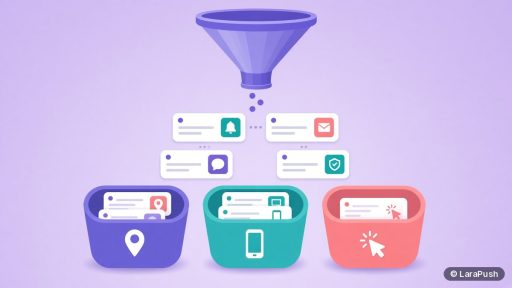
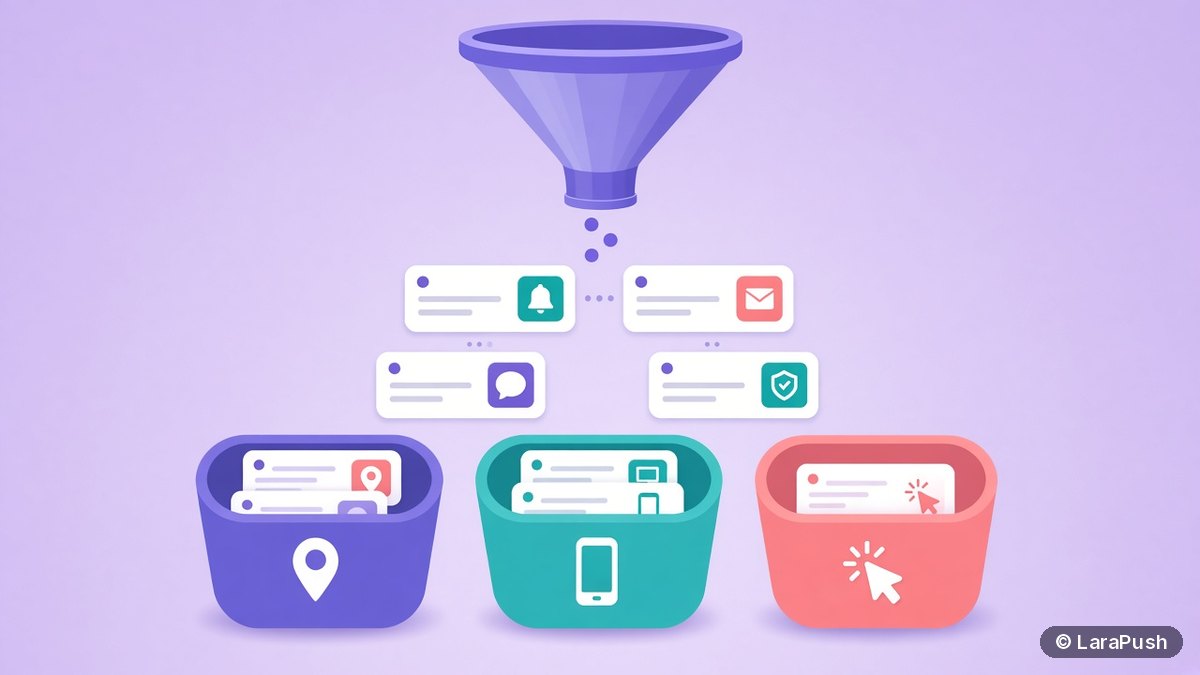

To segment push subscribers by location, device and behaviour, combine the data your push panel records at opt-in, such as country, region, device type, browser, operating system, subscription page and last visit, into saved segments. Then send each segment a message that matches it, for example local news by region or app-style offers to mobile users only.
My older post on why segmentation matters for push notifications covers the theory. This one is the practical side: the segment recipes I’d actually build first, which data each one needs, and the mistakes that make segments useless. As a tech geek, I like segments that are simple enough to explain in one sentence.
Quick facts:
- Web push subscriptions are created through the browser’s Push API, so the panel only knows what it records at opt-in and on later visits.
- Location in most push panels is estimated from the subscriber’s IP address, so treat it as country or region level, not street level.
- Device, browser and operating system come from the browser’s user agent at subscription time.
- Under the GDPR, an online identifier and location data can count as personal data, per Article 4 of the GDPR.
What data can you use to segment push subscribers?
You can segment push subscribers by three kinds of data: where they are, what they use, and how they behave on your site. Each kind answers a different question, so the best segments usually combine two of them.
| Data type | Typical fields | Where it comes from | Good for |
|---|---|---|---|
| — | — | — | — |
| Location | Country, region | IP lookup at opt-in | Local news, time zones, regional offers |
| Device | Device type, browser, OS | User agent at opt-in | Format, mobile-only offers, browser fixes |
| Behaviour | Subscribed URL, referrer, last visit, subscription date | Opt-in page and later visits | Topic interest, re-engagement, new vs old subscribers |
In short, location and device describe the subscriber. Behaviour describes their interest, which is usually the strongest signal for what to send.
How do you segment push subscribers by location?
Segment by location by filtering on country or region, then match the message to that place or its local time. Location segments work best for news, events, delivery areas and anything priced or available only in some countries.
Here are the location recipes I’d build first:
- Create one segment per main country, so you can schedule sends for each local morning.
- Build regional segments for publishers with state or city sections, and send local stories only there.
- Exclude countries where an offer, product or shipping isn’t available.
- Keep a “rest of world” segment so nobody is accidentally left out of global announcements.
Keep in mind that IP-based location isn’t perfect. VPNs and mobile networks can place people in the wrong region. So I’d avoid messages that only make sense with exact location.
How do you segment push subscribers by device and browser?
Segment by device and browser by filtering on device type, browser and operating system, then adjust the message format or the offer. Device segments matter because notifications look different on desktop and mobile.
Use them in three ways:
- Format: Desktop notifications can show more text, while mobile ones get cut short sooner. My guide to push notification character limits has the details.
- Relevance: Send app download or mobile-only offers just to Android and iOS subscribers.
- Troubleshooting: If one browser shows lower delivery or clicks, a browser segment helps you test a fix on that group alone.
For iPhone and iPad, web push works on iOS 16.4 and later when the site is added to the Home Screen, as WebKit’s announcement explains. That group is often small, so check its size before building a campaign around it.
How do you segment push subscribers by behaviour?
Segment by behaviour using the page someone subscribed on, where they came from, when they subscribed and when they last visited. These fields show interest and engagement, which is why behaviour segments often beat location and device on relevance.
| Behaviour segment | Rule | What to send |
|---|---|---|
| — | — | — |
| Topic interest | Subscribed URL contains /sports/ (or another section) | New posts from that section |
| Fresh subscribers | Subscribed in the last 7 days | Your best evergreen content, a welcome series |
| Lapsed visitors | Last visit more than 30 days ago | A strong reason to come back, sent sparingly |
| Traffic source | Referrer is a search engine or social site | Content that matches how they found you |
For example, a subscriber who opted in on a WordPress tutorial is far more likely to click a new WordPress tutorial than a general newsletter. Likewise, lapsed visitors need fewer, better messages. Sending them more often is one of the main reasons subscribers unsubscribe.
How do you combine location, device and behaviour?
Combine segments by layering two or three conditions with AND rules, and check the live segment size before you send. A layered segment is more relevant, but it also gets smaller with every condition you add.
Here are three combined recipes I find useful:
- Country is India AND subscribed URL contains /cricket/: send match updates.
- Device is mobile AND last visit within 14 days: send short, mobile-friendly promotions.
- Subscribed in the last 30 days AND country is the US: send a “best of” roundup at a US-friendly time.
As a rule of thumb, stop adding conditions once the segment is too small to tell you anything from the results. Then compare clicks per segment in your push notification metrics.
What mistakes make push segments useless?
The most common segmentation mistakes are building too many tiny segments, never refreshing them, and sending the same message to every segment anyway. Each one adds work without improving relevance.
- Too many segments: Start with five or six you’ll actually use every week.
- Static thinking: Behaviour changes, so rules based on last visit or subscription date should update automatically.
- Same copy everywhere: If every segment gets the same notification, you’ve only made sending slower.
- Ignoring privacy: Use location and behaviour data only for relevance, and explain it in your privacy policy. My post on web push notifications and GDPR covers the basics.
Where LaraPush fits
LaraPush supports these segment recipes on its self-hosted panel. Per the audience segmentation page and LaraPush’s llms.txt, you can segment by device, browser, OS, country, region, subscription date, subscribed URL, referrer and last visit, layer conditions, preview the live segment size, save segments and see per-segment reports.
The trade-offs are worth stating. Basic segmentation is on Startup, while advanced segmentation is on Pro, and URL and directory segmentation needs the Premium Add-on, as the pricing page lists. You also run your own VPS, and there’s no free plan; pricing starts from $499 one-time. For other options, see my roundup of the best push notification services and tools.
Frequently asked questions
Start with behaviour, such as the page someone subscribed on and when they last visited, because it shows interest. Then add location or device only when the message depends on it, like local news or mobile-only offers. Keep five or six segments you’ll actually use.
Location in most push panels comes from an IP address lookup, so it’s reliable at country level and less reliable for regions or cities. VPNs and mobile networks can place subscribers in the wrong area, so avoid messages that need an exact location.
Yes, if your push panel records the subscribed URL. You can then send new posts from a section, such as sports or tutorials, only to people who opted in on that section, which usually makes notifications far more relevant.
Fewer than you think. Five or six well-used segments beat dozens of tiny ones. Each segment should be large enough to give you meaningful click results and should get its own message, or it isn’t worth maintaining.
Location data and online identifiers can be personal data under GDPR Article 4, so you need a lawful basis and a clear privacy policy. Using approximate location to make notifications relevant is common, but check your legal position with a qualified adviser.