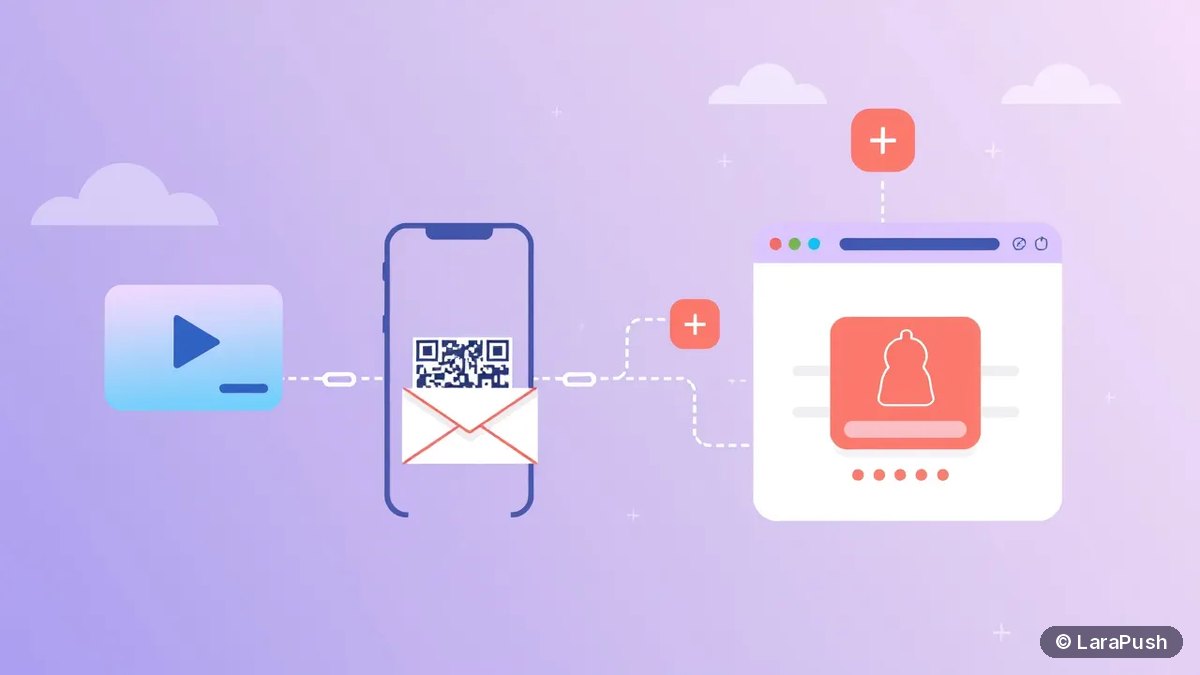

To collect web push subscribers from an external link, share a web push subscription link: a URL on your own domain that shows the notification prompt, saves the subscription, then redirects to the content. Share it in YouTube descriptions, bios, emails or QR codes. The prompt must run on your domain, because push permission belongs to the site that asks.
Most web push subscribers come from people already browsing your site. But a lot of your audience sees you somewhere else first: a YouTube video, an Instagram bio, a newsletter, a printed QR code. A subscription link lets you turn those clicks into push subscribers too. Below I explain how these links work, the rules browsers apply, how to set one up, and where they don’t work.
What is a web push subscription link?
A web push subscription link is a shareable URL that asks the visitor to allow notifications before sending them on to a destination. The visitor clicks, sees a permission prompt, and lands on the target page whether or not they subscribe (unless you force subscription, which I cover below).
There are two common forms:
- A subscribe page on your site, such as yoursite.com/subscribe, that shows the prompt and links onward.
- A short link with subscription built in, which redirects to any URL, including pages on other platforms, after the prompt.
The second form is what LaraPush calls LP Links, and it’s what most people mean by “collecting subscribers from an external link.”
Why can’t you collect subscribers directly on another platform?
You can’t, because notification permission and push subscriptions belong to an origin, meaning your domain. The Push API creates a subscription through your site’s service worker, and browsers store the permission per origin under the same-origin policy.
So a YouTube description or Instagram bio can’t show your prompt itself. The visitor has to pass through a page on your domain first. That’s exactly what a subscription link does: it routes the click through your domain for a moment, asks for permission there, then redirects. My explainer on why web push subscriptions are tied to a domain goes deeper.
How does a subscription link work, step by step?
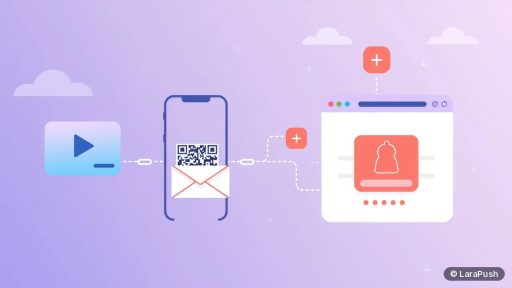
A subscription link works in four steps:
- The visitor clicks the link from an external source, such as a video description or email.
- The link opens a page on your collection domain, which loads your push script and service worker.
- The browser shows the notification permission prompt. If the visitor allows it, the subscription is saved to your push panel.
- The visitor is redirected to the target URL, such as the video, article or offer.
From the visitor’s side, it’s one click plus one permission decision. From your side, every click becomes a chance to gain a subscriber, and you can track clicks and conversions per link.
Where can you share a subscription link?
You can share a subscription link anywhere you can paste a URL. LaraPush’s LP Links page lists the usual places:
| Channel | Example placement | Tip |
|---|---|---|
| YouTube | Video description or pinned comment | Link to the video or a related post |
| Social profiles | Instagram, TikTok or X bio | Point to your newest content |
| Newsletter links | Useful for readers who rarely visit your site | |
| SMS | Text message links | Keep the prompt message short |
| Print and offline | QR codes on flyers, packaging or slides | Test the QR code on a phone first |
| Partner sites | Guest posts or communities | Follow each site’s link rules |
YouTube creators are the most common users. My guide to YouTube upload push notifications shows how this combines with automatic video alerts.
How do you create a subscription link?
You create one either by building a subscribe page on your own site or by using a push tool that generates subscription short links. Here’s the no-code route with LaraPush LP Links, based on LaraPush’s own description:
- Open LP Links in your LaraPush panel and enter the target destination URL.
- Pick the collection domain, meaning the site whose subscriber list should grow.
- Customise the prompt message visitors see.
- Decide whether to enable force subscribe mode.
- Share the short link, then track clicks, subscription rate, devices and locations in its report.
If you prefer to build it yourself, create a lightweight page on your domain that loads your existing push script, triggers the prompt after a click on a clear “Get notifications” button, then redirects to the destination. Asking after a user action is good practice anyway, as web.dev’s permission UX guide explains.
What is force subscribe mode, and should you use it?
Force subscribe mode keeps asking visitors to allow notifications instead of letting them continue after a refusal. On LaraPush’s LP Links, when it’s off, visitors who deny permission are still redirected to the target URL. When it’s on, they’re prompted again until they allow notifications.
I’d leave it off for most links. Once someone clicks Block, the browser remembers that choice for your domain and won’t show the native prompt again, and repeated dismissals can lead browsers to quiet the prompt too. Forcing the issue also frustrates people who just wanted the video or article. Use force mode only where subscribing is the clear point of the link, such as an alert sign-up for a specific event. My post on whether to require notification permission to enter a site covers the trade-offs.
Does it work on iPhone?
Only partly. On iPhone and iPad, web push works in Safari on iOS 16.4 or later, and only for web apps added to the Home Screen, according to WebKit’s announcement. A visitor tapping a link in a normal Safari tab can’t subscribe straight away.
Links opened inside social apps can also behave differently from a normal browser, because many apps open links in their own in-app browser. Test your link on the devices your audience uses. My guide on getting web push working on iPhone explains the Home Screen flow.
How do you get more subscribers from external links?
Get more subscribers by making the reason to subscribe obvious before the prompt appears. A few practical rules:
- Say what they’ll get. “Get a notification when the next video goes live” beats a generic request.
- Match the source. Use a separate link per channel so you can compare subscription rates.
- Keep the redirect fast. People clicked to reach content, not to wait.
- Respect a no. Let people continue to the content if they decline.
For benchmarks on what to expect from prompts in general, see my post on web push opt-in rates.
Where LaraPush fits
LaraPush LP Links and external-link subscriber collection are part of the Premium Add-on, which costs $399 and requires the Pro plan ($799), both one-time and excluding tax; see LaraPush pricing. LaraPush is a self-hosted web push panel on your own VPS, with unlimited domains on one licensed server. The trade-offs: there’s no free plan, the Premium Add-on can’t be bought on its own, and you maintain the server. If you only need a basic subscribe page, you can build one on any plan.
Frequently asked questions
Yes, through a subscription link. The link sends visitors to a page on your domain that shows the notification prompt, then redirects them to your video, post or offer. The prompt can’t appear inside YouTube or Instagram itself, because push permission belongs to your website’s domain.
Yes. The subscription is created on your collection domain through its service worker, so it joins that site’s subscriber list. You can then send campaigns to those subscribers like any other, and segment them by the page or link where they subscribed.
Once a visitor clicks Block, the browser remembers that decision for your domain and won’t show the native prompt again. With LaraPush LP Links, if force subscribe mode is off, the visitor is simply redirected to the target URL. They can still allow notifications later in browser settings.
Yes. A QR code is just a URL, so you can encode a subscription link in it and print it on flyers, packaging or event slides. Scan it on Android and iPhone before printing, and remember that iPhone users need to add your site to the Home Screen to subscribe.
You don’t need one, but separate links per channel make reporting clearer. With one link per source, such as YouTube, email or Instagram, you can see which channel brings the most subscribers and adjust where you promote it.