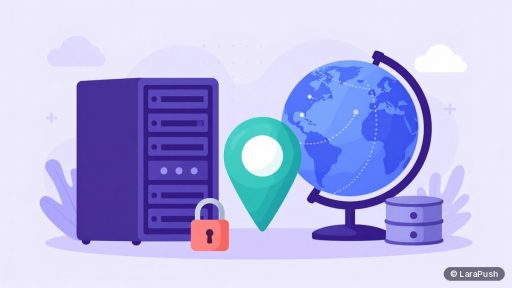

Self-hosted push notification data is stored in the database on the server you run, usually a VPS in a region you choose. Subscriber records, campaigns and click stats stay there. However, each message still passes through the browser’s push service, such as Firebase Cloud Messaging (FCM), Mozilla or Apple, which may process delivery data in other countries.
That second sentence is the part many “data stays on your server” claims skip. So in this post I’ll map exactly where self-hosted push notification data lives, what leaves your server, and what that means for data residency questions from clients or compliance teams.
Where is self-hosted push notification data stored?
It’s stored on your own infrastructure. A self-hosted push panel is an application you install on a server you rent or own, with its own database. Everything the panel creates is written there, in the data center region you picked when you set up the VPS.
| Data | Where it lives | Who controls it |
|---|---|---|
| Push subscriptions (endpoint and keys) | Panel database on your VPS | You |
| Subscriber metadata (browser, OS, country, subscribe date) | Panel database on your VPS | You |
| Campaigns, templates and schedules | Panel database on your VPS | You |
| Delivery and click statistics | Panel database on your VPS | You |
| VAPID key pair and Firebase config | Panel settings on your VPS | You |
| Backups | Wherever you send them | You |
If you want the deeper “who owns what” angle, my post on who owns push subscriber data covers it.
What data leaves your server when you send a notification?
Each notification leaves your server as an encrypted request to the subscriber’s push service. That’s how Web Push works for every provider, self-hosted or SaaS. The web.dev push overview explains the flow: your server sends to the push service, and the push service delivers to the browser.
- Chrome and most Chromium browsers: Firebase Cloud Messaging (FCM), run by Google.
- Firefox: Mozilla’s push service.
- Safari on macOS and iOS 16.4+: Apple Push Notification service (APNs), as described in Apple’s web push documentation.
The payload is encrypted under RFC 8291, so the push service can’t read the title or message. It does see the endpoint, timing and size of each message.
Can you control which country push delivery data goes to?
Not for the delivery leg. You choose your VPS region, but you can’t pick where Google, Mozilla or Apple process push traffic. Firebase’s privacy and security page says that unless a service offers data location selection, Firebase may process and store data anywhere Google or its agents have facilities.
So a fully “in-country” web push setup isn’t possible today with standard browsers. What you can control is where your subscriber database, campaign content and analytics live. For most data residency questions, that’s the bigger dataset.
How does self-hosting compare with SaaS for data residency?
Self-hosting changes where the subscriber database lives and who can access it. It doesn’t change the browser push services. Here’s the side-by-side I use:
| Question | Self-hosted panel | SaaS push provider |
|---|---|---|
| Where is the subscriber database? | Your VPS, in your chosen region | Vendor’s cloud, in their regions |
| Who can access it? | You and anyone you give access | Vendor staff and subprocessors, per their terms |
| Delivery via FCM, Mozilla, APNs? | Yes | Yes |
| Who handles backups and security? | You | Vendor |
| Data export on exit | Direct database access | Depends on vendor tools |
For the wider trade-offs, see self-hosted vs SaaS push notifications.
What about backups and third-party scripts?
Backups and scripts are the usual leaks in a “data stays here” plan. A backup copied to cloud storage in another region moves your data to that region. So decide where backups go, and encrypt them.
Similarly, check the scripts on your site. An analytics tag or ad pixel that fires on the subscribe event can send subscriber details somewhere else. My guide to backing up a self-hosted push panel covers safe backup targets.
How do you document self-hosted push data for compliance?
Write down every location, then put it in your records and privacy policy. This is the short process I follow:
- Note the VPS provider, region and data center country.
- List what the panel database stores.
- Name the push services that relay messages: FCM, Mozilla and APNs.
- Record where backups are stored and who can open them.
- Check for EU-to-third-country transfer rules if you serve EU visitors (see GDPR Article 44).
- Update your privacy policy with the push section.
For step 6, my outline of what a privacy policy should say about web push gives you a ready structure.
Where LaraPush fits
LaraPush is a self-hosted web push panel built with Laravel, PHP and MySQL. You install it on your own VPS, so subscribers, campaigns and stats sit in your database, in the region you choose. Delivery uses Firebase Cloud Messaging, so the delivery leg works as described above. With the Premium Add-on (Pro only), you can also schedule automated Google Drive backups, which means those backup copies live in your Google Drive.
On the other hand, you run and secure the server, a licence covers one server, and there’s no free plan. See LaraPush pricing, the backup feature and my wider list of push notification services and tools.
Frequently asked questions
It keeps the subscriber database, campaigns and analytics on your server. However, every notification is still relayed by the browser’s push service, such as Firebase Cloud Messaging for Chrome or APNs for Safari, so delivery metadata is processed by those companies.
You can host the panel and its database on a VPS in India or the EU. The delivery leg through FCM, Mozilla or APNs can’t be pinned to a country, because those services run on their own global infrastructure. Document that in your privacy policy.
No, not the content. Web Push payloads are encrypted under RFC 8291, so FCM relays an encrypted message it can’t read. It still sees the endpoint, timing and message size it needs for delivery.
Store them somewhere you control, in a region you’re comfortable with, and encrypt them. A backup in another country moves a copy of the data there. Keep at least one copy off the main server so a VPS failure doesn’t take your subscribers with it.
No. Self-hosting gives you more control over where data lives and who can access it, but compliance still depends on consent, security, retention, transfers and your privacy notice. It’s a tool that helps, not a certificate.