
To set up a service worker for web push notifications, create a sw.js file at your site root, register it with navigator.serviceWorker.register(), ask for permission after a user action, subscribe with pushManager.subscribe() using your VAPID public key, and handle the push and notificationclick events. Your site must use HTTPS.
The service worker is the piece that makes web push work when your tab is closed. It’s a JavaScript file the browser runs in the background, separate from your page. When a push message arrives, the browser wakes the service worker, and the worker shows the notification. Below I walk through the minimum working setup, the scope rules that trip people up, and how to test it. The code follows the Push API and Notifications API as documented on MDN.
What is a service worker in web push?
A service worker is a background script that receives push messages and displays notifications for your site, even when no tab is open. It sits between the browser’s push service and your visitor’s screen.
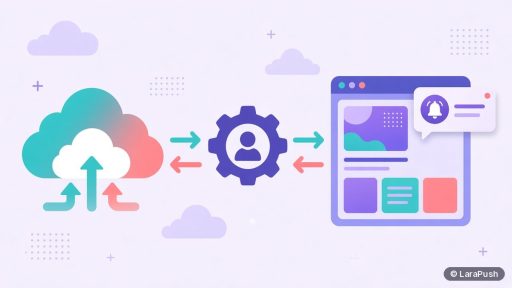
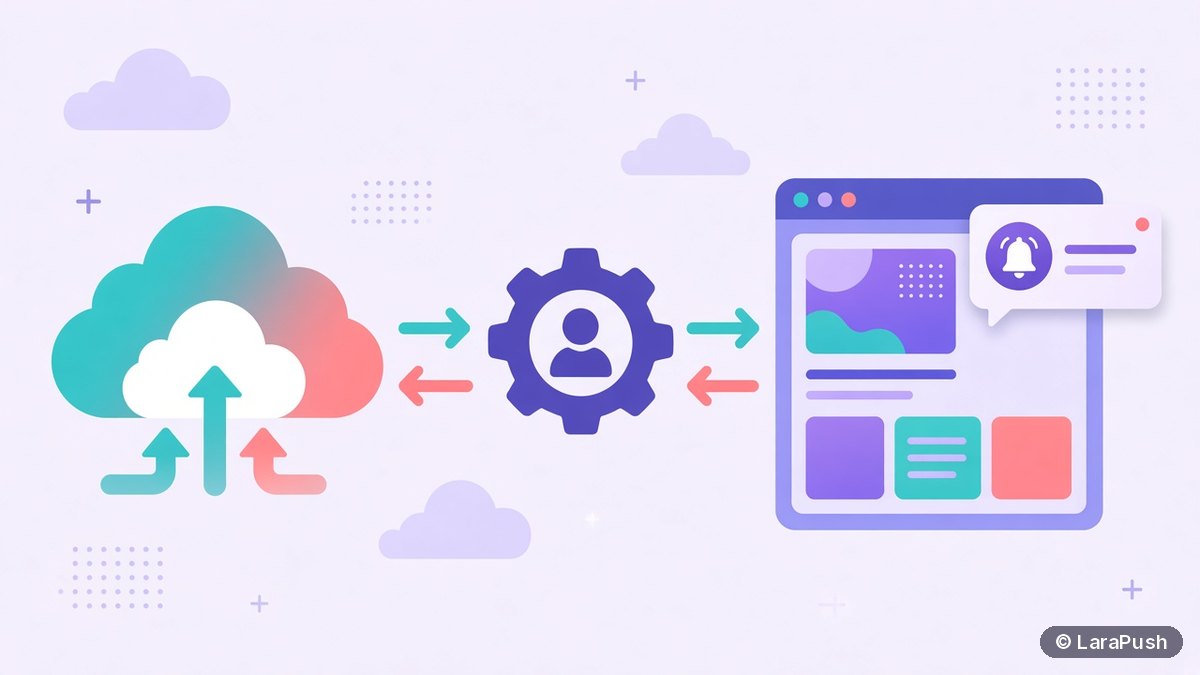
Here’s the flow in one line: your server sends an encrypted message to the push service, such as Firebase Cloud Messaging (FCM) for Chrome. The push service delivers it to the browser. The browser then starts your service worker and fires a push event. Your code in that event calls showNotification(), and the alert appears. If you’d like the bigger picture first, read what web push notifications are.
What do you need before you start?
You need four things before writing any code: HTTPS, a VAPID key pair, a server endpoint that saves subscriptions, and access to your site’s root folder.
| Requirement | Why it matters |
|---|---|
| HTTPS | Service workers only run in secure contexts (localhost is allowed for testing) |
| VAPID key pair | The public key goes in the browser code; the private key signs messages on your server |
| Subscription endpoint | Your server must store each browser’s subscription to send to it later |
| Root folder access | A worker’s default scope is the folder it’s served from |
If you’re unsure about keys, see what VAPID keys are. The scope rule matters most, so I cover it in its own section below.
How do you set up a service worker for web push, step by step?
You set up a push service worker in five steps: create the file, register it, ask permission, subscribe, and send the subscription to your server.
Step 1: Create sw.js at your site root
Create a file named sw.js and serve it from the root, for example https://example.com/sw.js. This version shows a notification for each push and opens a URL on click.
// sw.js
self.addEventListener('push', (event) => {
  const data = event.data ? event.data.json() : {};
  const title = data.title || 'New update';
  event.waitUntil(
    self.registration.showNotification(title, {
      body: data.body || '',
      icon: data.icon || '/icon-192.png',
      data: { url: data.url || '/' }
    })
  );
});

self.addEventListener('notificationclick', (event) => {
  event.notification.close();
  event.waitUntil(clients.openWindow(event.notification.data.url));
});
Notice the event.waitUntil() calls. They tell the browser to keep the worker alive until the notification is shown or the window opens. Without them, the browser may stop the worker early.
Step 2: Register the service worker
Register the worker from your page’s JavaScript. Check for support first, so older browsers fail quietly.
if ('serviceWorker' in navigator && 'PushManager' in window) {
  navigator.serviceWorker.register('/sw.js');
}
Step 3: Ask for permission after a user action
Ask for notification permission from a click handler, such as a “Get alerts” button, rather than on page load. Safari requires a user gesture for the prompt, and Chrome may show a quieter prompt on sites that ask too early.
button.addEventListener('click', async () => {
  const permission = await Notification.requestPermission();
  if (permission === 'granted') subscribe();
});
Step 4: Subscribe with your VAPID public key
Call pushManager.subscribe() with userVisibleOnly set to true and your public key as applicationServerKey. Chrome requires userVisibleOnly: true, which promises that every push shows a notification.
async function subscribe() {
  const reg = await navigator.serviceWorker.ready;
  const sub = await reg.pushManager.subscribe({
    userVisibleOnly: true,
    applicationServerKey: urlBase64ToUint8Array(VAPID_PUBLIC_KEY)
  });
  await fetch('/api/push/subscribe', {
    method: 'POST',
    headers: { 'Content-Type': 'application/json' },
    body: JSON.stringify(sub)
  });
}
The urlBase64ToUint8Array helper converts the base64url key into bytes. Most web push libraries and tutorials include a copy.
Step 5: Save the subscription and send a test
Store the subscription JSON (endpoint plus p256dh and auth keys) on your server. Then send a test message with a Web Push library. In PHP or Laravel, my guide on how to send web push from PHP or Laravel has the server-side code.
What is service worker scope and why does it matter?
Scope is the set of URLs a service worker controls, and by default it’s the folder the file is served from. A worker at /sw.js controls the whole site, while one at /js/sw.js only controls pages under /js/.
For push, scope affects which registration your page finds and subscribes with. Serving sw.js from the root is the simplest fix. If you can’t, the server can send a Service-Worker-Allowed header to widen the scope, as described in the ServiceWorkerContainer.register() docs on MDN. Also avoid running two push workers on the same scope. That conflict is a common reason one tool’s notifications stop after you install another.
How do you test and debug a push service worker?
You test a push service worker in your browser’s developer tools. In Chrome, open DevTools, go to Application, then Service workers.
- Check the status. The worker should show as activated and running, with the right scope.
- Send a test push. The Push button in that panel fires a push event with sample text.
- Update on reload. Tick “Update on reload” while you edit sw.js, so changes apply right away.
- Read the console. Errors inside the push handler appear in the worker’s own console.
If notifications still don’t appear, work through my checklist on why web push notifications are not showing.
Do service workers for push work on iPhone?
Yes, from iOS and iPadOS 16.4, but only for web apps added to the Home Screen. Apple’s WebKit announcement explains that a site needs a web app manifest, and the user adds it to the Home Screen before allowing notifications. Full details are in iPhone push notifications without an app.
Where does LaraPush fit?
If you’d rather not maintain this code yourself, LaraPush gives you the JavaScript snippet and service worker file to add to your site, or you can use the free WordPress plugin. Subscriptions are stored on your own server, and you send from the panel. Trade-offs: you run a VPS, a licence covers one server, and there’s no free plan. See the setup guide, the features and pricing. For other options, check the best push notification services and tools.
Frequently asked questions
Create a sw.js file at your site root with push and notificationclick event handlers. Register it with navigator.serviceWorker.register(‘/sw.js’), ask for permission after a click, subscribe with pushManager.subscribe() using your VAPID public key, and send the subscription to your server.
Put it at the root of your domain, such as https://example.com/sw.js. A service worker only controls URLs in the folder it’s served from and below. If it must live in a subfolder, your server can send a Service-Worker-Allowed header to widen the scope.
Chrome only allows push subscriptions that promise to show a notification for every message, so pushManager.subscribe() must pass userVisibleOnly: true. If your push handler doesn’t show a notification, Chrome may display a generic message saying the site was updated in the background.
It’s risky. Two push tools that register service workers on the same scope can replace each other, so one tool’s notifications stop. If you need both, keep them on separate scopes or merge the handlers into one worker. Most sites should pick one push provider.
Not noticeably. The worker runs in the background on a separate thread and only wakes for events such as push and notificationclick. A minimal push worker is a few kilobytes. Load your registration script asynchronously so it doesn’t block page rendering.