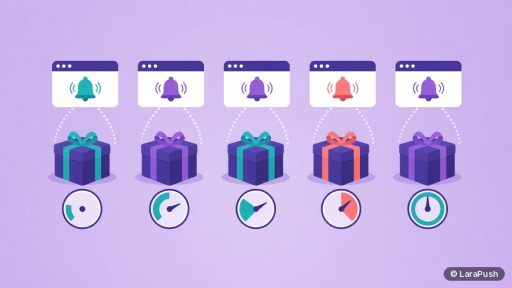


The best push notification plugin for WordPress depends on your budget and audience. PushEngage suits stores that want WooCommerce automations, OneSignal and Webpushr suit sites that want a free start, Perfecty Push suits developers who want free open-source self-hosting, and LaraPush suits sites that want unlimited subscribers for a one-time payment.
When I compare WordPress push plugins, I start with the cost model, not the feature list. Almost every plugin can collect subscribers and send a notification when you publish a post. The real differences show up later: what happens to your bill at 50,000 subscribers, whether iPhone users can subscribe, and where your subscriber data lives. This shortlist uses each plugin’s WordPress.org listing and official pages, checked on Oct 30, 2026.
- Every plugin below is free to install from WordPress.org. The paid part, if any, is the push service behind it.
- Active installs on WordPress.org (Oct 30, 2026): OneSignal 60,000+, Webpushr 10,000+, PushEngage 8,000+, Push Notifications for WP 6,000+, LaraPush 4,000+, Perfecty Push 3,000+.
- Web push on iPhone and iPad needs iOS 16.4 or later and the site added to the Home Screen (WebKit).
Which is the best push notification plugin for WordPress?
Six plugins cover almost every WordPress use case in 2026. The table compares them on what matters most, using each WordPress.org listing on Oct 30, 2026.
| Plugin | Best for | Cost model | Push on publish | WooCommerce triggers |
|---|---|---|---|---|
| PushEngage | Stores and marketers | Free plan, paid plans for automations | Yes (RSS Auto-Push) | Yes, on paid plans |
| OneSignal | Free start, high-traffic blogs | Free plan, paid tiers | Yes | Not listed in the plugin |
| Webpushr | Budget blogs and small shops | Free up to 10,000 active subscribers | Yes | New product, price drop, abandoned cart |
| LaraPush | Unlimited subscribers, one-time cost | One-time licence, self-hosted | Yes (Pro plan) | Works alongside WooCommerce |
| Perfecty Push | Developers, free self-hosting | Free, open source (GPL) | Yes | No |
| Push Notifications for WP | Simple free setup | Free, uses its own service | Yes, on publish or update | Not listed |
How did I pick these plugins?
I kept a plugin only if it is actively listed on WordPress.org, sends real browser push to site visitors, and supports push on publish. Then I checked four things on each official page:
- Check the cost model: free tier, monthly plan or one-time licence.
- Check browser and iPhone support.
- Check where subscriber data is stored.
- Check the last update date and WordPress version tested.
I didn’t run private speed or delivery tests, so I don’t rank by made-up numbers. Instead, I rank by fit. If you want the wider picture beyond WordPress, my guide to push notification services and tools covers SaaS and self-hosted options together.
What does each WordPress push plugin do well?
Each plugin has one clear strength. Here’s what that is, and the trade-off you accept with it.
1. PushEngage: best for WooCommerce stores
PushEngage bundles push notifications, WooCommerce automation and a chat widget in one plugin. Its listing describes five pre-built WooCommerce workflows: cart abandonment, browse abandonment, price drop, back in stock and order updates. However, those automations sit on paid plans. The free plan covers broadcasts, opt-in popups and basic segmentation.
2. OneSignal: best free start for content sites
OneSignal is the most installed push plugin on WordPress.org, with 60,000+ active installs. It sends a notification when you publish a post and supports segments, scheduling and A/B testing. Its listing says the free plan allows targeting up to 10,000 subscribers, so check the OneSignal vs LaraPush comparison and OneSignal’s own pricing before you grow past that.
3. Webpushr: best budget pick
Webpushr is free for up to 10,000 active subscribers, according to its plugin FAQ. Push on publish, subscriber stats and WooCommerce alerts for new products, price drops and abandoned carts are all listed. One note: its listing still says iOS doesn’t support web push, which is out of date since iOS 16.4, so confirm iPhone support with Webpushr directly.
4. LaraPush: best for unlimited subscribers on a one-time payment
LaraPush is a self-hosted push panel. You install it on your own VPS, then connect WordPress with the free “Push Notifications by LaraPush” plugin. Pricing starts from $499 one-time (check the pricing page for current prices), with unlimited domains and subscribers on one licensed server. The WordPress plugin page lists Push-on-Publish as a Pro plan feature. The trade-offs are honest ones: there’s no free plan, and you run a server.
5. Perfecty Push: best for developers who want free and open source
Perfecty Push stores subscribers inside your own WordPress database and sends from your server, with no external provider. That makes it free and private. However, its listing says iOS and Safari aren’t supported yet, and the last update was Sep 4, 2025. It suits a technical site owner more than a marketing team. It is a strong pick for the best push notification plugin for WordPress if you want free self-hosting.
6. Push Notifications for WP: best simple free option
This plugin sends automatic notifications when a post is published or updated, plus custom and scheduled sends. It supports multisite and shows campaign click stats. It’s a good fit for a small blog that wants push running in a few minutes, though it relies on its own pushnotifications.io service.
Which is the best push notification plugin for WordPress for your site?
Match the plugin to your situation, not to the longest feature list. This table maps common WordPress sites to a sensible first pick. Choosing the best push notification plugin for WordPress starts with your site type.
| Your site | Good first pick | Why |
|---|---|---|
| WooCommerce store | PushEngage or Webpushr | Built-in cart and product triggers |
| Blog under 10,000 subscribers | OneSignal or Webpushr | Free tier covers it |
| News or blog network with large lists | LaraPush | One-time cost, unlimited subscribers and domains |
| Privacy-first site with a developer | Perfecty Push | Data stays in your WordPress database |
| Small hobby blog | Push Notifications for WP | Quick, free setup |
If you’re unsure about hosted versus self-hosted, my self-hosted vs SaaS comparison walks through the cost and upkeep side.
What should a good WordPress push plugin include?
A good WordPress push plugin should include push on publish, a customisable opt-in prompt, scheduling, segmentation and click reports. Beyond those basics, check these points before you install:
- iPhone support: Safari on iOS 16.4+ supports web push for Home Screen web apps, so ask whether the plugin handles that flow.
- Subscriber ownership: can you export subscribers, or are they locked to one vendor?
- Ads: some free services monetise with ads in notifications, so read the terms.
- Maintenance: a recent “last updated” date and a “tested up to” version near current WordPress.
- One plugin only: two push plugins means two service workers that can conflict.
Where does LaraPush fit?
LaraPush fits WordPress publishers who expect large subscriber lists and want a fixed cost instead of a growing monthly bill. You get unlimited subscribers, campaigns and domains on one server, segmentation, scheduling and the official WordPress plugin. In return, you rent and maintain a VPS, the licence covers one server, and there’s no free plan. See the full feature list or my explainer on one-time payment push services.
Frequently asked questions
For a free start, OneSignal and Webpushr are the strongest picks. Webpushr’s FAQ says it’s free up to 10,000 active subscribers, and OneSignal’s listing says its free plan targets up to 10,000 subscribers. Perfecty Push is also free, but it’s self-hosted and its listing says iOS and Safari aren’t supported yet.
They can. Web push works on iPhone and iPad with iOS 16.4 or later, but only after the visitor adds your site to the Home Screen. Support differs by plugin, so check the vendor’s documentation before you rely on iPhone subscribers.
Yes. All six plugins in this list can send a push notification when you publish a post. Some also let you filter by category or post type. With LaraPush, Push-on-Publish is listed as a Pro plan feature on its WordPress plugin page.
The “Push Notifications by LaraPush” plugin is free on WordPress.org. However, it connects to a LaraPush panel that you install on your own server, and the panel is a one-time purchase starting from $499. There’s no free plan.
It’s best not to. Each push plugin registers its own service worker and opt-in prompt, so two plugins can conflict and confuse visitors. Pick one, and if you switch later, remove the old plugin first.