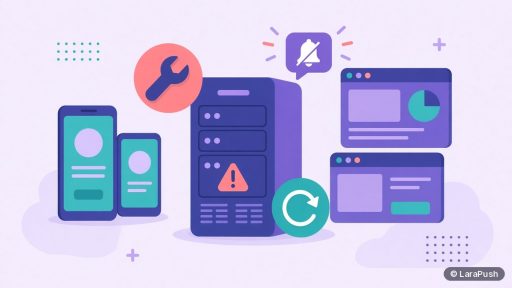

If your self-hosted push server goes down, existing subscriptions are not lost, because they live in subscribers’ browsers and in your database. What stops is everything the server does: sending campaigns, running automations, saving new subscribers and recording clicks. Once the server is back, you can send again to the same list.
Downtime is the risk people worry about most with self-hosting, so it helps to be precise. Below I separate what actually breaks from what keeps working, and how to shorten an outage when it happens.
What stops working when the push server is down?
Everything that needs your server stops: sending, scheduled campaigns, automations, new subscriptions saved through the panel, click and delivery stats, and the dashboard itself.
| Function | During downtime | After recovery |
|---|---|---|
| Sending campaigns | Stops | Works again once the queue worker runs |
| Scheduled campaigns and automations | Don’t fire on time | May run late or need re-scheduling, depending on the panel |
| New subscribers | Sign-ups saved through the panel can fail | New visitors can subscribe again |
| Click and delivery stats | Not recorded if they go through the panel | Recording resumes |
| Notifications already sent | Still delivered by the browser push service | No change |
| Existing subscriptions | Stay valid | Same list, same keys |
The key idea is that your server isn’t the delivery network. It hands each message to a browser push service, such as Firebase Cloud Messaging (FCM) for Chrome or Mozilla’s push service for Firefox. If you want the full flow, see how push notifications work.
Do you lose subscribers if the server goes down?
No, you don’t lose subscribers just because the server is down. A subscription is an endpoint and keys stored in the browser and in your database, as MDN describes for the PushSubscription object. An outage doesn’t delete either side.
You only lose subscribers if the outage also destroys data: a failed disk with no backup, or lost VAPID keys. That’s a backup problem, not an uptime problem. My guide on how to back up a self-hosted push panel covers the database and keys you need to keep.
What happens to notifications that were already sent?
Notifications your server already handed to the push service are delivered as normal, even if your server goes down a minute later. The push service holds each message for the time-to-live (TTL) your server set, as defined in RFC 8030.
So a device that was offline can still receive an earlier message when it reconnects, as long as the TTL hasn’t expired. Messages that were still waiting in your own queue are different. They weren’t sent yet, so they go out only when the worker runs again, or not at all if the panel drops stale jobs.
What do subscribers notice during an outage?
Usually very little. Subscribers simply don’t receive new notifications for a while. Their existing subscription and any notifications already on screen are unaffected.
They may notice two things. First, a visitor who tries to subscribe might see the prompt but fail to be saved, depending on how your panel registers subscriptions. Second, if click tracking goes through the panel, a click could fail to reach your site. Check how your panel builds notification links so you know which applies.
What usually causes self-hosted push downtime?
The usual causes are a full disk, the server running out of memory, a stopped queue worker, an expired TLS certificate, a failed update or a problem at the VPS provider. Most are preventable with basic monitoring.
| Cause | Early warning | Prevention |
|---|---|---|
| Disk full | Disk usage creeping up | Rotate logs, clean old backups |
| Out of memory | Slow sends, crashed services | Right-size the VPS, watch memory |
| Queue worker stopped | Backlog growing, campaigns stuck | Use a process monitor such as Supervisor |
| TLS certificate expired | Browser warnings on the panel domain | Automatic renewal with Let’s Encrypt |
| Bad update | Errors after a change | Snapshot first, see how to update safely |
| Provider outage | Host status page | Off-server backups, ability to rebuild elsewhere |
Laravel’s queue documentation recommends Supervisor to restart workers if they stop. That single step prevents the most common “the panel is up but nothing sends” problem.
How do you recover quickly?
Recover by checking the basics in order: is the server reachable, is there free disk and memory, is the queue worker running, and is the certificate valid. Fix the first failing item, then send a test notification.
- Check the VPS provider’s status page and console.
- Log in and check disk space and memory.
- Restart the web server, database and queue worker.
- Confirm the panel domain loads over HTTPS.
- Send a test to your own browser.
- Re-check scheduled campaigns that should have fired during the outage.
If the server can’t be repaired, rebuild on a new VPS from your backup and point the panel subdomain at it. Keeping the same domain means your websites need no changes. I’d write these steps into a one-page runbook now, while nothing is broken.
Is self-hosted push less reliable than SaaS?
Not inherently. A self-hosted server can be very stable, but reliability depends on you rather than a vendor. SaaS tools have outages too; the difference is who fixes them and who decides when.
I covered the full trade-off in the disadvantages of self-hosted push notifications and in self-hosted vs SaaS push notifications. In short, a small server with monitoring and backups is reliable enough for most publishers.
Where does LaraPush fit?
LaraPush is a self-hosted panel with built-in server stats, uptime and queue monitoring, so you can spot a stopped worker or a full disk before campaigns stall. Installation is included, and the Premium Add-on adds automated Google Drive backups for faster recovery.
You still run the VPS, and the licence covers one server. Plans start from $499 one-time on the pricing page (check it for the current price). To compare options first, start with my guide to push notification services.
Frequently asked questions
No. Subscriptions stay valid in the browser while your server is offline, and nothing on the subscriber’s side changes. They simply don’t receive new notifications until you send again. You only lose subscribers if the outage also destroys your database or keys and you have no backup.
Yes, if your server had already handed them to the browser push service. The push service stores each message for the TTL your server set, so offline devices can receive it when they reconnect. Messages still waiting in your own queue go out only after the worker runs again.
It depends on the panel. Some run missed jobs when the scheduler restarts, while others skip them or need you to re-schedule. After any outage, check the campaign list and resend anything time-sensitive manually rather than assuming it went out.
Use an external uptime monitor on the panel’s HTTPS address, and watch disk, memory and queue size. LaraPush shows server stats, uptime and queue monitoring inside the panel. An external check is still useful because it alerts you even when the server can’t.
Yes. Install the same panel version on a new VPS, restore your database and config with the VAPID keys, and point the panel subdomain at the new server. Because the keys and domain stay the same, existing subscriptions keep working.