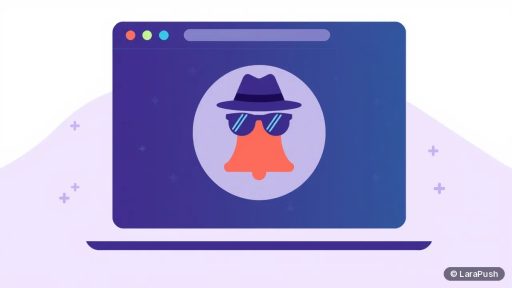

No. Web push doesn’t work in incognito mode or private browsing in Chrome, Edge, Firefox or Safari. These browsers deny notification permission in private windows, so a visitor can’t subscribe and no push subscription is created. To test or receive web push, use a normal browser window or a separate regular browser profile instead.
This surprises a lot of site owners during testing. They open an incognito window to see the site as a new visitor, and the permission prompt never appears. Nothing is broken. The browser is protecting the private session, and it does so on purpose.
Do web push notifications work in incognito mode?
Web push notifications don’t work in incognito mode in any major browser. A push subscription needs the browser to store a service worker, keys and an endpoint that outlive the session. Private windows exist to forget exactly that kind of data when you close them.
| Browser | Private mode name | Notification permission | Push subscription |
|---|---|---|---|
| Chrome | Incognito | Auto-denied after a short delay | Not possible |
| Microsoft Edge | InPrivate | Denied (Chromium-based) | Not possible |
| Firefox | Private Browsing | Denied | Not possible |
| Safari (macOS and iOS) | Private Browsing | Treated as denied | Not possible |
Edge follows Chromium’s behaviour, but I’d still test it yourself before you rely on the exact prompt behaviour in a support article.
Why does Chrome deny the permission in incognito?
Chrome blocks notification permission in Incognito so sites can’t detect private browsing. Since Chrome 49, the Chromium team explained that sites can’t gain notification permission in Incognito. Instead, the request looks as if the user denied it, after a random delay.
That delay matters. If the denial were instant, a site could use it to tell incognito users apart from normal ones. The Chromium source notes that requests are rejected after one to two seconds for that reason. So in incognito, your code sees a normal “denied” result, not an error that says “private mode”.
What about Firefox and Safari private windows?
Firefox and Safari also block push in private windows, and both say so in their own code and notes. Firefox turned off notifications in Private Browsing in 2023 after finding notification data was stored unencrypted on disk, as tracked in Mozilla bug 1843046. Firefox 140 (June 2025) added service workers to Private Browsing, but notification permission is still denied there, so push doesn’t work.
WebKit, the engine behind Safari, made PushManager in private (ephemeral) sessions behave as if the user had denied notification permission. The WebKit change says it also stops sites from using the Push API to detect private browsing.
What does your site see when a visitor is in incognito?
Your site sees a visitor whose notification permission is “denied”, just like someone who clicked Block. Your push script can’t tell the difference, and it shouldn’t try.
In practice, three things happen:
- Your soft prompt may still show, because it’s your own HTML.
- The browser prompt doesn’t show, or it closes by itself with a denied result.
- No subscription reaches your push panel, so the visitor isn’t counted.
So if your soft prompt shows to everyone, incognito visitors who click Allow will see nothing happen. A simple fix is to check Notification.permission first and hide the soft prompt when it’s already “denied”. My guide to why the push permission prompt stops appearing covers the other causes of a missing prompt.
Does incognito traffic lower your opt-in rate?
It can, a little. Incognito visitors can’t subscribe, so they count as page views without any chance of opting in. If a large share of your traffic browses privately, your opt-in rate will look lower than it really is for normal visitors.
I don’t try to correct for this with guesses. Instead, compare opt-in rate by browser and by traffic source over time, and look for sudden changes. The web push opt-in rate guide explains how to calculate it and what affects it.
How do you test web push without incognito mode?
Use a separate regular browser profile, or reset the site’s permissions in a normal window. Both give you a clean “default” permission state, and both can actually receive pushes.
| Testing method | Clean permission state | Can receive pushes | Best for |
|---|---|---|---|
| Incognito or private window | No (denied) | No | Nothing push-related |
| New Chrome or Firefox profile | Yes | Yes | Testing as a brand-new visitor |
| Reset site permissions in a normal window | Yes | Yes | Re-testing your own prompt |
| Second browser, such as Firefox | Yes | Yes | Cross-browser checks |
| Android phone or iPhone Home Screen web app | Yes | Yes | Real-device checks |
For a step-by-step pre-launch routine, see how to send a test web push notification. If you’re testing on iPhone, remember that web push needs iOS 16.4 or later and the site added to the Home Screen, as WebKit explains.
Where LaraPush fits
LaraPush is a self-hosted web push panel that runs on your own VPS. It includes a live preview and a test send for campaigns, so you can check a notification in a normal browser profile before it goes to everyone. Its prompt options, including bell, modal and restrictive prompts, also let you control when and to whom you ask.
The trade-offs: you manage the server, a licence covers one server, and there’s no free plan. See the features page and the setup guide for details. For a wider view of the market, my roundup of push notification services and tools is a good start.
Frequently asked questions
No. Chrome automatically denies notification permission in Incognito after a short random delay, so no push subscription can be created. The delay is deliberate, because it stops sites from detecting that a visitor is using Incognito mode.
Yes, if your normal browser profile is still running. The subscription belongs to the normal profile, not the incognito window. So notifications from sites you subscribed to there can still appear while you browse privately.
No. Firefox denies notification permission in Private Browsing windows. Firefox 140 added service worker support to private windows in June 2025, but push notifications are still unavailable there.
Browsers work hard to prevent that. Chrome delays its automatic denial by a random time, and WebKit makes private sessions look like a normal denied permission. So a site sees an ordinary “denied” result and can’t reliably tell private browsing apart.
If you test in incognito or private mode, the browser denies permission automatically. In a normal window, you may have answered the prompt already. Use a new browser profile, or reset the site’s notification permission, then reload the page.