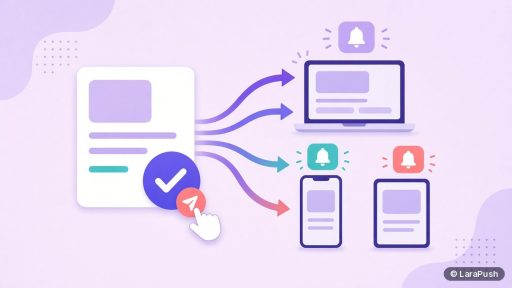


To add push notifications to a website without coding, use a web push service or plugin in five steps: pick a tool, confirm your site runs on HTTPS, install the tool’s script and service worker (or its WordPress plugin), set up an opt-in prompt, and send a test notification. iPhone users need one extra Home Screen step.
I’ve watched plenty of site owners assume push notifications need a developer. For most sites, they don’t. If you can paste a snippet into your header or install a plugin, you can add push notifications to a website yourself. Here’s the exact process, plus the mistakes I see most often.
What do you need to add push notifications to a website?
You need three things: an HTTPS website, access to edit your site’s header or install plugins, and a push notification tool. That’s it. You don’t need an app, an app store account or any server code if you use a hosted service.
| Requirement | Why | How to check |
|---|---|---|
| HTTPS | Service workers and the Push API only run on secure origins | Your URL starts with https:// and shows a padlock |
| Header or plugin access | To add the tool’s JavaScript | CMS theme settings, tag manager or plugin screen |
| File upload to site root | Most tools need a service worker file at the root | FTP, file manager or the tool’s plugin |
| A push tool | Stores subscribers and sends campaigns | Hosted service, self-hosted panel or plugin |
The service worker is the piece people forget. It’s a small JavaScript file the browser registers for your site, and it shows notifications when your site isn’t open (MDN Push API). A service worker only controls pages within its scope, which is why tools ask you to put it at the site root.
How do you add push notifications to a website in 5 steps?
Here are the five steps to add push notifications to a website without writing code.
Step 1: Choose a push notification tool
Pick a hosted service if you want zero maintenance, or a self-hosted panel if you want flat costs and your own data. Our explainer on push notification service vs platform vs API helps you pick the type. Then use the 12 questions to ask any vendor to compare tools.
Step 2: Confirm HTTPS and access
Check that every page loads over HTTPS without mixed-content warnings. Also confirm you can edit the site header and upload a file to the root folder. If you’re on WordPress, a plugin can usually handle both.
Step 3: Install the script and service worker
Copy the tool’s JavaScript snippet into your site header, before the closing head tag. Next, upload the service worker file to your root folder, for example `https://example.com/sw.js`. On WordPress, install the tool’s plugin instead and connect it to your account.
Step 4: Set up the opt-in prompt
Choose when and how the permission prompt appears. Google’s web.dev guidance is to ask in context, for example after a click or once the reader has seen value, rather than on page load (permission UX). Most tools offer a soft prompt, such as a bell or a modal, before the browser’s native prompt.
Step 5: Test and send your first notification
Subscribe on your own desktop and phone, then send a test notification. After that, set up a welcome notification and send your first real campaign to everyone who opted in.
How do you add push notifications for iPhone visitors?
iPhone visitors can subscribe only after they add your site to the Home Screen, on iOS 16.4 or later (WebKit). So, for iPhone, you need two extras:
- A web app manifest with `display` set to `standalone`. Many push tools generate one for you.
- An on-page banner for iPhone users explaining Share, then Add to Home Screen, then Subscribe.
The full walkthrough is in iPhone push notifications without an app. Android is simpler, because visitors can subscribe from a normal tab; see Android push notifications without an app.
How do you add push notifications to WordPress, Shopify or other platforms?
On WordPress, the easiest way to add push notifications is a plugin from your push tool, which handles the script and service worker. On other platforms, you paste the script into the theme header and upload the service worker if the platform allows root file uploads.
| Platform | Typical method | Watch out for |
|---|---|---|
| WordPress | Install the tool’s plugin | Caching plugins that cache the service worker |
| Custom site or Laravel/PHP app | Paste script into the layout header, upload service worker | Correct scope at the site root |
| Blogger | Tool-specific Blogger integration, if offered | Limited control over theme files and scripts |
| AMP pages | Tool-specific AMP component, if offered | AMP needs its own setup |
| Hosted store builders | App or theme code injection | Whether root file uploads are allowed |
Before you commit, ask the vendor how it handles your platform. If it can’t place a service worker at your root, push won’t work across the whole site.
What mistakes should you avoid when adding web push?
The biggest mistake is asking for permission on the first page load. Visitors deny it, and Chrome may then show your site a quieter prompt (Chromium blog). Here are the others I check for:
- Service worker in a subfolder. It only covers that folder, so subscriptions fail elsewhere.
- Two push tools at once. Two service workers can conflict, so remove the old tool first.
- No welcome message. New subscribers forget why they opted in.
- Sending too often. Frequent sends drive unsubscribes. See how many push notifications per day.
- Ignoring iPhone. Without a manifest and banner, iPhone visitors can’t subscribe at all.
What features should you set up after installation?
After installation, set up segments, scheduling and automation, because those decide whether push keeps working after the first week. At minimum, I set up a welcome push, a device or country segment, and an automatic push for new content. Our push notification software features checklist lists the full set.
Where does LaraPush fit?
LaraPush is a self-hosted web push panel, so setup has one extra layer: it runs on your own VPS. However, installation and onboarding are free. The usual flow is to point a domain or subdomain to your server with an A record, run the automated install from the customer portal, add your site and Firebase config, and then embed the JavaScript and service worker or install the free LaraPush WordPress plugin. The step-by-step docs are in the LaraPush guide.
The trade-offs: you manage a VPS, a licence covers one server, and there’s no free plan. Pricing is from $499 one-time; check pricing for the current price. It also supports AMP and Blogger. For other options, see our best push notification services and tools.
Frequently asked questions
Choose a web push tool, confirm your site runs on HTTPS, add the tool’s JavaScript snippet and service worker file (or install its WordPress plugin), configure an opt-in prompt, and send a test notification. Most hosted tools need no coding beyond copying and pasting a snippet.
Yes. Hosted push notification services and WordPress plugins let you add web push by pasting a script into your site header and uploading one file, or by installing a plugin. You only need code if you build your own system on the Push API.
The service worker is the script the browser runs in the background to receive push messages and show notifications when your site isn’t open. It must sit at your site root so it covers every page. Most push tools provide the file for you.
Yes, on iOS 16.4 and later, but only after the visitor adds your site to the Home Screen and taps a subscribe button inside it. Your site also needs a web app manifest. Desktop and Android visitors can subscribe straight from the browser tab.
It can be. Several hosted services have free tiers with subscriber or feature limits, and the browser delivery layer is free. Paid plans are usually monthly and grow with subscribers, while self-hosted panels charge a one-time licence plus server costs.