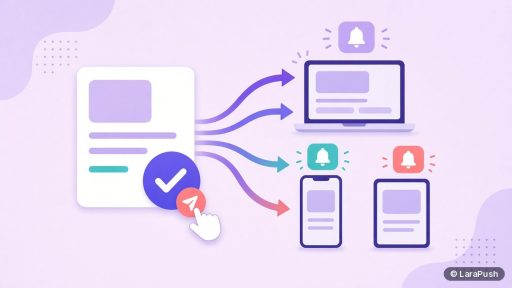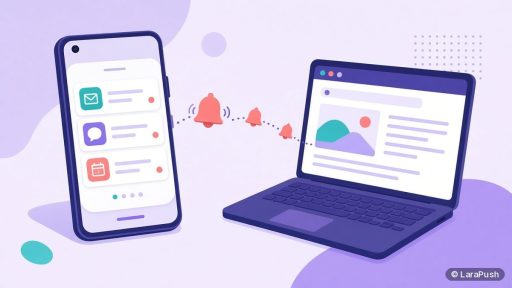

You can send Android push notifications without an app by using web push. Add a web push service and its service worker to your HTTPS website, show an opt-in prompt, and visitors who tap Allow in Chrome, Firefox, Edge or Samsung Internet will get notifications in the Android notification shade. No app or Home Screen install is needed.
Android is the easy half of mobile web push. Unlike iPhone, Android browsers let visitors subscribe straight from a normal tab. This guide shows how Android push notifications without an app work, the six steps to set them up, and the Android-specific settings that quietly block delivery.
Can you send push notifications to Android without an app?
Yes. Android browsers have supported the standard Push API for years, so any HTTPS website can send push notifications to Android users without an app. The visitor opts in once, and after that your notifications arrive even when your site isn’t open in a tab.
The technology is called web push. It combines the Push API, the Notifications API and a service worker, which is a small script the browser keeps registered for your site (web.dev overview). When you send a message, the browser’s push service delivers it, and the service worker displays it. On Chrome, that push service runs on Google’s Firebase Cloud Messaging (FCM) infrastructure.
Which Android browsers support web push notifications?
Chrome, Firefox, Microsoft Edge, Samsung Internet and Opera on Android all support the Push API. Support details change, so check the current caniuse table for the Push API before you rely on a less common browser.
| Android browser | Web push support | Install to Home Screen needed? |
|---|---|---|
| Chrome | Yes | No |
| Samsung Internet | Yes | No |
| Firefox | Yes | No |
| Microsoft Edge | Yes | No |
| Opera | Yes | No |
This is the key difference from iPhone. On iOS, visitors must add your site to the Home Screen before they can subscribe. Our post on iPhone push notifications without an app explains that flow.
What do you need before you start?
You need an HTTPS website, a way to add a script or plugin to it, and a web push tool. Here’s the short checklist I run through:
- HTTPS on every page. Service workers and the Push API only run in secure contexts.
- Access to your site’s code or CMS. You’ll add a script tag, upload a service worker file, or install a plugin.
- A push tool. That can be a hosted service, a self-hosted panel, or your own code with a library such as web-push. Our explainer on the types of push notification services covers the differences.
- An Android phone for testing. Emulators work, but I always test on a real device.
How do you send push notifications to Android users without an app?
Follow these six steps to send Android push notifications without an app.
1. Choose a web push tool
Pick a service or panel that supports Android browsers, segmentation by device and OS, and image notifications. For a vendor shortlist, see the best push notification service for websites.
2. Install the script and service worker
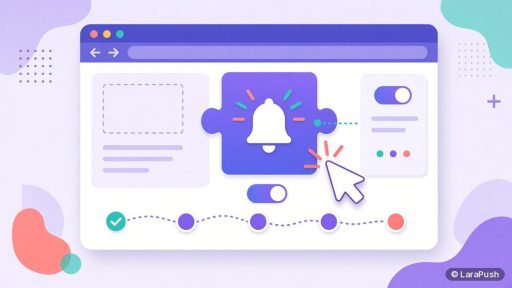
Add the tool’s JavaScript snippet to your site header. Then upload its service worker file to your site root, so it covers every page. On WordPress, a plugin usually does both.
3. Set up the opt-in prompt
Configure when the permission prompt appears. Google’s guidance is to ask after a user action or once the visitor has seen some value, not on page load (web.dev permission UX).
4. Test on a real Android device
Open your site in Chrome on Android, accept the prompt, and send a test notification. Then repeat in Samsung Internet if your audience uses Samsung phones.
5. Send a welcome notification
Send a short welcome message right after opt-in. It confirms that the subscription works and sets expectations for what’s coming.
6. Segment Android subscribers
Create a segment for Android or mobile subscribers. As a result, you can write shorter titles and use images that suit a phone screen.
Why aren’t my Android web push notifications showing?
Android web push notifications usually fail to show because notifications are blocked for the browser itself, not for your site. Check these in order:
| Problem | Where to check | Fix |
|---|---|---|
| Browser not allowed to post notifications | Android Settings > Apps > Chrome > Notifications | Turn notifications on for the browser |
| Site permission blocked | Chrome > Site settings > Notifications | Reset the permission for your site |
| Quieter prompt hiding your request | Address bar shows a crossed-out bell | Delay the prompt and ask after a user action |
| Battery or data saver restrictions | Android battery settings | Allow background activity for the browser |
| Expired subscription | Your push tool’s reports | Remove invalid tokens and re-prompt later |
On Android 13 and later, every app needs the `POST_NOTIFICATIONS` runtime permission to show notifications (Android Developers). Browsers are apps too, so if a user denied that permission to Chrome, no website can reach them through Chrome.
Chrome also shows a quieter permission UI to some users and on sites where most visitors deny the prompt (Chromium blog, Jan 2020). In short, a well-timed prompt protects your future reach.
What can Android web push notifications include?
Android web push notifications can include a title, body text, an icon, a large image, a click URL and action buttons. They appear in the notification shade next to app notifications, so a clear title matters more than clever wording. For writing tips, see how to write appealing push notifications.
Keep titles short, because Android trims long text on the lock screen. Our post on the character limit for push notifications covers safe lengths.
Is web push on Android as good as app push?
For most websites, web push on Android is close enough to app push, and it’s far cheaper to start. You skip the Google Play developer account, which has a US$25 one-time registration fee (Google Play Console help), and you skip building and maintaining an app.
However, a native app can do things web push can’t, such as deep in-app features and offline experiences. If you’re deciding between the two, read web push vs app push.
Where does LaraPush fit?
LaraPush is a self-hosted web push panel that supports Android browsers, desktop browsers and iPhone (iOS 16.4+ via the Home Screen). It delivers through FCM. You can segment by device, browser, OS and country, and add up to 2 CTA buttons with separate click tracking. See the feature list and the setup guide.
The trade-offs: you run it on your own VPS, one licence covers one server, and there’s no free plan. Pricing is from $499 one-time; check pricing for the current price. For a wider comparison, see our list of the best push notification services and tools.
Frequently asked questions
Yes. Any HTTPS website can send push notifications to Android users through web push. Visitors allow notifications in a browser such as Chrome, Firefox, Edge or Samsung Internet, and messages then appear in the Android notification shade, even when your site isn’t open.
No. Unlike iPhone, Android browsers let visitors subscribe to web push from a normal browser tab. Installing the site to the Home Screen as a progressive web app is optional and isn’t required for push notifications to work.
Generally yes. Chrome on Android receives messages through the system push channel and wakes your site’s service worker to show the notification. However, notifications won’t show if Android has blocked notifications for Chrome or if battery settings restrict the browser.
The most common causes are notifications turned off for the browser in Android settings, a blocked site permission, battery restrictions, or an expired subscription. On Android 13 and later, the browser itself also needs the notification permission before any site can show notifications.
The browser delivery layer is free to use, including Google’s Firebase Cloud Messaging. What you pay for is the push tool on top: hosted services often have free tiers and monthly plans, while self-hosted panels charge a licence plus your server costs.