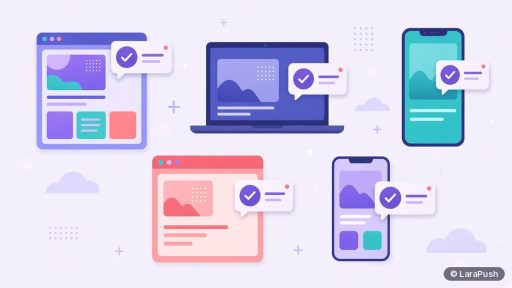

As of November 2026, web push notifications work in Chrome, Edge, Firefox, Opera, Samsung Internet and Safari. Desktop support covers Windows, macOS, Linux and ChromeOS. On Android, Chrome, Firefox, Edge and Samsung Internet support it. On iPhone and iPad, web push works from iOS 16.4, but only for sites added to the Home Screen.
So almost every modern browser supports the standard Push API now. The catches are on specific platforms: iOS needs the Home Screen step, some privacy-focused browsers switch push off by default, and in-app browsers inside social apps don’t support it at all. Below I break support down by desktop, mobile and the edge cases that affect real subscriber numbers. For version-by-version detail, I check Can I use: Push API and the MDN Push API compatibility table.
Which desktop browsers support web push notifications?
All major desktop browsers support web push notifications: Chrome, Edge, Firefox, Opera and Safari. Here’s the summary.
| Desktop browser | Web push support | Notes |
|---|---|---|
| Google Chrome | Yes, since Chrome 42 | Delivered through Firebase Cloud Messaging (FCM) |
| Microsoft Edge | Yes | Chromium-based Edge uses Microsoft’s own push service |
| Mozilla Firefox | Yes, since Firefox 44 | Delivered through Mozilla’s push service |
| Opera | Yes | Chromium-based, works like Chrome |
| Safari on macOS | Yes, Safari 16 and later on macOS 13 Ventura or later | Standard Web Push; older Safari used Apple’s legacy push system |
| Brave | Partly | Push messaging may need enabling in Brave’s settings |
On desktop, the browser usually has to be running, even in the background, for a notification to appear. Messages sent while the browser is closed wait at the push service until it opens or the message expires.
Which mobile browsers support web push notifications?
On Android, Chrome, Firefox, Edge, Opera and Samsung Internet support web push. On iPhone and iPad, support depends on the Home Screen step.
| Mobile platform and browser | Web push support | Notes |
|---|---|---|
| Android: Chrome | Yes | Notifications appear like app notifications |
| Android: Firefox | Yes | Uses Mozilla’s push service |
| Android: Samsung Internet | Yes | Common on Samsung phones |
| Android: Edge and Opera | Yes | Chromium-based |
| iOS and iPadOS 16.4+ | Yes, for Home Screen web apps only | Requires a web app manifest and the user adding the site |
| iOS: Safari tab (not added) | No | A normal browser tab can’t receive push |
| In-app browsers (social apps) | No | WebViews don’t support the Push API |
Android support is the strongest, because notifications can arrive with the browser closed. For more on that, see Android push notifications without an app.
Do web push notifications work on iPhone and iPad?
Yes, from iOS and iPadOS 16.4, web push works for web apps that the user has added to the Home Screen. Apple announced this on the WebKit blog. The site needs a web app manifest, and the user must add it to the Home Screen, open it, and then allow notifications after a tap.
The same post notes that third-party browsers on iOS can offer Add to Home Screen too, so the flow isn’t limited to Safari. Because all iOS browsers use Apple’s WebKit engine, the rules are the same in each. In practice, this extra step adds friction for iPhone visitors, so plan your prompt for it. I cover the full setup in iPhone push notifications without an app.
Which browsers don’t support web push?
Web push doesn’t work in in-app browsers, older browser versions, or regular Safari tabs on iOS. These are the main gaps:
- In-app browsers. Links opened inside social and messaging apps load in a WebView, which doesn’t support the Push API.
- iOS without Home Screen. A normal Safari, Chrome or Firefox tab on iPhone can’t subscribe.
- Private or incognito windows. Browsers typically block or discard push subscriptions in private modes.
- Old versions. Very old browsers, such as Internet Explorer, never supported the Push API.
- Privacy browsers. Some, like Brave, may turn push messaging off until the user enables it.
Your opt-in script should detect support before showing a prompt. Checking for ‘serviceWorker’ in navigator and ‘PushManager’ in window is the standard test.
Do all browsers handle web push the same way?
No. All supporting browsers follow the same Push API and Notifications API, but they use different push services and show notifications slightly differently. Chrome uses FCM, Firefox uses Mozilla’s push service, and Safari uses Apple’s push service. A standard Web Push library, signed with VAPID keys, sends to all of them with the same code.
Display differs, too. Large images, action buttons and how long a notification stays on screen vary by browser and operating system. For example, macOS doesn’t show the large image that Chrome on Windows and Android can display. So I test every new template on at least Chrome on Windows or Android and Safari on macOS or iPhone. My guide to pictures in push notifications on Android and iOS covers image behaviour.
Do you need Firebase to support every browser?
Not for the browser side. Standard web push with VAPID keys reaches Chrome, Firefox, Edge and Safari through their own push services. Some push tools route Chrome delivery through Firebase Cloud Messaging and handle the rest with Web Push. Read what VAPID keys are for the details.
Where does LaraPush fit?
LaraPush is a self-hosted web push panel. Per its documentation, it reaches Chrome, Firefox, Edge, Opera and other modern desktop browsers, Android browsers, and iPhone and iPad through iOS Safari web push. Its segmentation lets you target by browser, device and OS, and its reports break clicks down the same way. Trade-offs: you run a VPS, a licence covers one server, and there’s no free plan. See the iOS push feature, all features and pricing. To compare tools, start with the best push notification services and tools.
Frequently asked questions
Chrome, Edge, Firefox, Opera, Samsung Internet and Safari all support web push. Support covers desktop on Windows, macOS, Linux and ChromeOS, and Android. On iPhone and iPad, web push works from iOS 16.4 for sites added to the Home Screen. In-app browsers inside social apps don’t support it.
Yes. Safari 16 and later on macOS 13 Ventura or later supports standard web push. On iPhone and iPad, Safari supports web push from iOS 16.4, but only for web apps added to the Home Screen. A normal Safari tab on iOS can’t receive push notifications.
Not in a normal Chrome tab. All iOS browsers use Apple’s WebKit engine, and web push on iOS only works for Home Screen web apps. From iOS 16.4, third-party browsers can offer Add to Home Screen, and the installed web app can then ask for notification permission.
Brave is built on Chromium and can show web push, but it may keep push messaging switched off until the user enables Google services for push messaging in its settings. So some Brave users can’t subscribe until they change that setting.
Generally no. Browsers block or discard push subscriptions in private and incognito windows, because these sessions don’t keep site data after closing. Visitors who browse privately won’t become lasting subscribers, so they won’t appear in your subscriber count.