
You own the site relationship with people who allowed notifications on your domain, but you do not automatically own portable push subscriptions like an email list export. Permission is granted to your origin; sendable endpoints are usually bound to the VAPID keys and service worker that created them — so switching providers is not a simple CSV copy.
This distinction matters when a SaaS push tool changes pricing, shuts down or locks features. I walk through what the public specs say, what vendors typically control, and how to think about migration without magical promises.
Do I own my push notification subscribers?
In practical terms:
| Asset | Who effectively controls it |
|---|---|
| Notification permission for your origin | The browser user; granted to your site origin |
| PushSubscription endpoint + auth/p256dh keys | Created by the browser; stored wherever your push tool saves them |
| VAPID private key used at subscribe time | Whoever generated and holds that key (often the provider) |
| Service worker script on your site | You host the file, but it may be supplied by the provider |
| Marketing profiles / tags in a vendor dashboard | Contractually the vendor’s database until you export what they allow |
So “do I own my subscribers?” is really three questions: do I keep permission on my domain, can I keep messaging them, and can I leave with working credentials. Permission often stays. Working subscriptions usually require the matching signing keys and worker setup (RFC 8292 VAPID, MDN PushManager.subscribe).
What does the browser actually store?
When someone allows notifications and your page subscribes:
- The browser records permission for your origin.
- `PushManager.subscribe()` creates a `PushSubscription` with an endpoint URL plus encryption keys.
- If you pass `applicationServerKey` (your VAPID public key), the subscription is restricted to the matching private key.
- Your backend must store that subscription to send later via the Push API (W3C Push API, MDN Using the Push API).
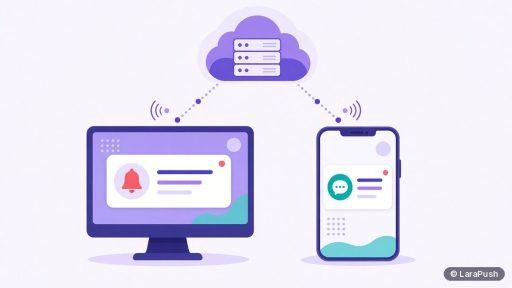
The push service (for example FCM for Chrome) routes messages to that endpoint. It does not give you a universal “subscriber ID” you can paste into any other vendor.
Why can’t I always export working web push subscribers?
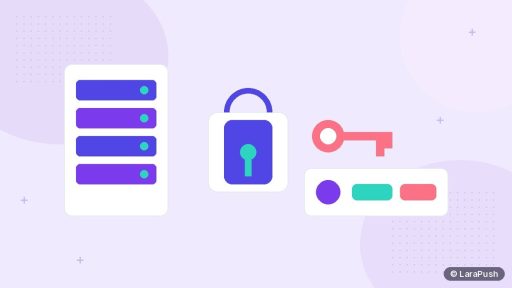
Because restricted subscriptions are cryptographically bound. RFC 8292 expects the push service to reject messages that aren’t signed with the correct application server key. Hosted providers commonly generate and hold the VAPID private key themselves.
Vendor docs say this out loud. OneSignal’s migration guidance states that web subscriptions cannot simply be imported into a new app because of how browsers bind subscriptions (OneSignal migrating guide). An export of rows for analytics is not the same as an export of sendable endpoints for a new key pair.
Related deep dive: what VAPID keys are and why they matter and what happens when a push provider shuts down.
What still belongs to you when you switch tools?
Usually:
- Your domain and traffic
- Browser permission already granted for that origin (visitors who return can often be resubscribed silently by a new worker on the same domain)
- Any first-party profile data you stored yourself (account ids, email, CRM fields) — subject to privacy law and your policies
- Contractual export rights defined in the vendor’s terms (dashboard CSVs, APIs)
Usually not automatically:
- A guarantee that old endpoints keep working under a new provider’s keys
- The vendor’s proprietary device graph beyond what they let you export
On iOS, web push also depends on Home Screen install and iOS 16.4+ (WebKit), which is another reason “ownership” is not identical to email list portability.
Self-hosted vs SaaS: who holds the keys?
| Setup | Typical key custody | Practical meaning |
|---|---|---|
| SaaS push panel | Vendor holds VAPID private key | Leaving may require resubscribe flows unless a migration path exists |
| Self-hosted panel on your VPS | Keys and subscriber DB live on your server | You keep infrastructure control; still bound by web push crypto rules |
| DIY with web-push libraries | You generate and store keys | Maximum control; you own ops burden |
Self-hosted does not magically make endpoints transfer between arbitrary systems. It does mean your subscriber database and keys are not trapped in someone else’s multi-tenant cloud by default. Background: self-hosted vs SaaS push notifications and best self-hosted push notification software.
How should you plan for portability before you need it?
- Know who generated your VAPID keys and whether you can export the private key.
- Keep a first-party map of user ids ↔ subscription metadata you are allowed to store.
- Prefer tools that document migration instead of assuming CSV portability.
- Test silent resubscribe on returning visitors when you change workers.
- Don’t promise stakeholders “zero loss” unless you have a verified procedure.
Privacy regimes such as GDPR still apply to personal data you process — ownership of marketing reach is separate from lawful processing. That’s a different post; this one is about technical custody of push subscriptions.
Where does LaraPush fit?
LaraPush is self-hosted: you install the panel on your own VPS, and a licence covers one server with unlimited domains on that server. There is no free plan (Startup from $499, Pro from $799 one-time). For teams moving from other providers, LaraPush offers a Migration Add-on for moving subscribers to the LaraPush Pro panel — contact the team for details rather than assuming a lossless one-click import. See migration, features, pricing and the guide. Tooling context: best push notification services and tools.
Frequently asked questions
You own the site relationship and usually keep browser permission on your origin, but sendable push subscriptions are tied to VAPID keys and the service worker setup that created them. That is why leaving a vendor is harder than exporting an email list.
Not necessarily. Many exports are for records only. Working sends need endpoints that the new system can authenticate to, which often means the original signing keys or a fresh subscribe.
Self-hosting keeps the database and keys on your server, which improves custody compared with pure SaaS. Web push cryptography and browser permission rules still apply.
LaraPush offers a Migration Add-on for moving subscribers from other providers to the LaraPush Pro panel. Contact the team for details; don’t assume zero-loss migration without their process.
Permission is granted to your origin, so it often remains. Returning visitors can frequently be subscribed again by the new stack without seeing a second native prompt — people who never return stay unreachable until they do.