
You do not need a developer for self-hosted web push if the panel offers an automated install and a WordPress plugin or a copy-paste script. You still create a VPS, point a subdomain at it, and usually connect a Firebase project. A developer is only necessary if you install the stack by hand or build custom API integrations.
This question about hiring a developer for self-hosted web push comes up a lot, and I think people mix up two skills. One is website-owner work: renting a server, adding a DNS record and pasting a snippet. The other is developer work: writing code, configuring Nginx by hand or building a sender from a library. Self-hosted web push can stay in the first group when the vendor installs the panel for you.
Quick facts:
- LaraPush includes free installation and onboarding, so you do not have to run the server commands yourself.
- WordPress users can finish site setup with the free Push Notifications by LaraPush plugin.
- You still create the VPS and the DNS record, and you still add a Firebase project when the panel asks for it.
- A developer becomes useful for manual stacks, custom service workers or sends triggered from your own application.
Do you need a developer for self-hosted web push?
No, you do not need a developer for self-hosted web push when the panel’s installation is automated. You need a site owner who can use a hosting control panel, a DNS screen and, on WordPress, a plugin screen.
That is a lower bar than “hire a programmer”. It is not a zero-skill bar. If you have never created a VPS or added an A record, you will need a short walkthrough or a helping hand from the vendor’s onboarding. That helper does not have to be a developer. It can be the panel’s own install team, a freelancer who does hosting setup, or a technically confident colleague.
If the panel has no automated install, the answer changes. Then someone has to install a web server, a database, a certificate and a queue worker. That is developer or sysadmin territory, and I would not pretend otherwise.
What skills do you need if you are not a developer?
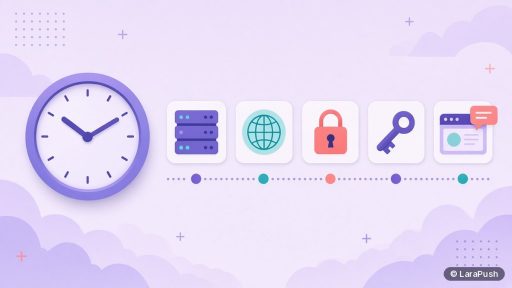
If you are not a developer, you need five practical skills, none of which requires writing code.
| Task | What you actually do | Typical tool |
|---|---|---|
| Rent a VPS | Pick Ubuntu 24.04, a region and a small plan, then note the IP | Your host’s dashboard |
| Point a domain | Add an A record such as push.example.com to that IP | Your DNS or domain panel |
| Let the panel be installed | Claim the automated install and set an admin login | The vendor’s customer portal |
| Connect Firebase, if required | Create a free Firebase project and paste the web config | Firebase console |
| Add the site | Install a plugin, or paste a script and upload a service worker | WordPress admin, or your file manager |
If you can already install a WordPress plugin and change a domain’s DNS, you are most of the way there. The unfamiliar step is usually the VPS itself, and hosts such as DigitalOcean, Vultr, Linode, Hostinger or AWS Lightsail walk you through creating one.
You will also need to test the result: open your site on HTTPS, accept the permission prompt and send a test notification to yourself. That is checking, not coding.
When do you actually need a developer?
You need a developer for self-hosted web push when the work leaves the control panel and becomes custom software or a manual server stack. I would call a developer in these cases:
- You are installing an open-source or bare panel with no automated installer.
- You want to trigger notifications from your own app through the REST API, with custom logic.
- You need a custom service worker, or you have a complex front-end framework that already uses one.
- You are debugging failed queues, PHP or Node processes, and SSL at the command line.
- You are building web push yourself from libraries, with no dashboard at all.
In those situations a freelancer who knows Linux and JavaScript is enough. You do not need a full engineering team for a standard website. For a sense of the manual path, my VPS install guide shows where the extra steps appear.
What does an automated install take off your plate?
An automated install takes the server-stack work off your plate: the web server, application files, database, SSL certificate and queue worker. You still prepare the VPS and the domain, then the vendor or the installer finishes the panel.
That is the difference between a half-day of command-line work and a shorter setup you can do from a browser. LaraPush documents this as a free automated install from the customer portal, with onboarding included. After that, you log in, apply the licence key, add your website and connect Firebase. The LaraPush guide is the screen-by-screen reference.
What it does not take off your plate is ongoing care. Someone still has to keep the VPS updated and confirm that backups exist. That person can be you, a developer, or a host that manages the server. The point is to name them, not to assume the installer stays forever.
What about WordPress, APIs and custom integrations?
WordPress usually does not need a developer for self-hosted web push. The official plugin can place the script and service worker after you connect it to your panel. If you want push on publish, that is a setting, not a custom hook you have to write.
Other site builders vary. On a plain HTML site you upload a JavaScript snippet and a service worker file, which is file-manager work. I cover that in how to add push notifications to a website and in the WordPress-specific guide. A developer becomes useful if your theme or framework already registers a service worker and the two files need to be merged.
The REST API is the other line. LaraPush includes a REST API with no documented call limits, which is useful if your product should send a notification after an event in your own software. Wiring that event is developer work. Using the campaign editor in the panel is not.
Where does LaraPush fit?
LaraPush is aimed at people who want a self-hosted panel without hiring a developer for self-hosted web push. You buy a one-time licence from $499 (Startup) or $799 (Pro), exclusive of tax; see pricing. The team installs the panel on your VPS, and you add sites with the WordPress plugin or a script.
The trade-off is that the VPS is still yours. You need enough confidence to create the server and a DNS record, or someone who can do that with you. After the included support term (6 months on Startup, 12 months on Pro), you should be comfortable with backups and updates, or have a person who is. Feature details are on the features page. For the wider landscape, see best push notification services and tools.
Frequently asked questions
A beginner can do it if the panel offers automated installation and they are willing to follow a checklist: create a VPS, add an A record, let the vendor install the panel, then add the plugin or script. If any of those screens are new, use the vendor’s onboarding or a short hosting session with a helper. You still do not need a programmer for the standard path.
No. Web push on iPhone, from iOS 16.4 onwards, works through Safari after the user adds the site to the Home Screen. Apple documents this in the WebKit web push announcement. You do not need an Apple Developer account or a native app for that path.
No. Creating a Firebase project and registering a web app is a console task: you create a project, add a web app and copy the configuration values into the panel. Keep those values private, but you do not have to write code to paste them.
Hire one if you want custom API-triggered campaigns, a special service worker, or help hardening and migrating the server. Day-to-day sending, segmentation and scheduling can stay in the panel. A developer is for custom behaviour, not for every campaign.
Not if you use a commercial panel. You maintain the server and apply the panel’s updates, which is closer to keeping WordPress and a VPS healthy than to maintaining an application you wrote. You would maintain code only if you built the sender yourself.