
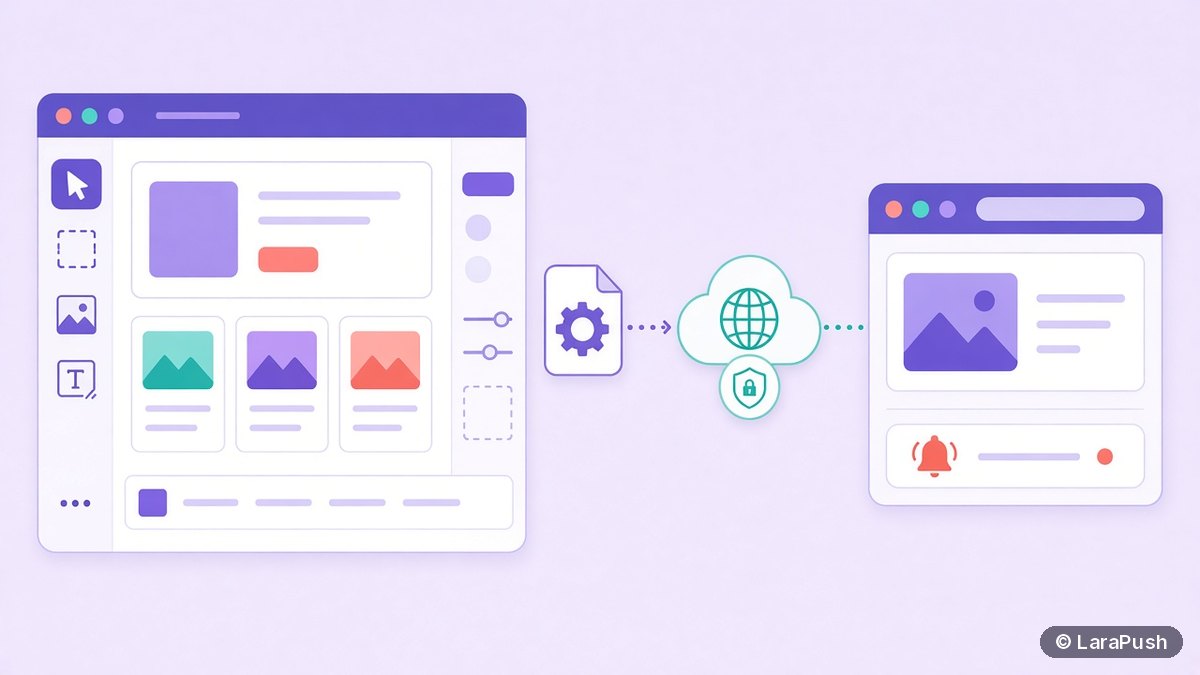

To add web push notifications to Webflow, you need a paid site plan with a custom domain, a push tool’s script in Project Settings, Custom Code, and a way to serve the push service worker from your own domain. That last part is the hard bit, because Webflow hosting isn’t built for placing arbitrary files at your domain root.
So the real question for Webflow isn’t which snippet to paste. It’s where the service worker will live. Below I explain why that matters, the three workable setups, and how I’d choose between them.
What do you need for web push on Webflow?
You need four things: a paid Webflow plan, a connected custom domain, a push service, and a service worker that browsers accept for your domain. HTTPS is covered, because Webflow serves published sites over HTTPS.
| Requirement | Why it matters | Notes for Webflow |
|---|---|---|
| Paid site plan | Custom code isn’t available on the free plan | OneSignal’s Webflow guide notes this |
| Custom domain | Push subscriptions belong to an origin | Use the domain you’ll keep long term |
| Push tool script | Shows the prompt and creates subscriptions | Goes in Project Settings, Custom Code, Head Code |
| Service worker | Receives pushes and shows notifications | Must be same-origin; see below |
Choose your final domain before collecting subscribers. A subscription is tied to the origin where it was created, so moving from a webflow.io address to your own domain later means starting over. I explain why in why web push subscriptions are tied to a domain.
Why is the service worker the hard part on Webflow?
Because browsers only register a service worker served from your own origin, and its scope is limited to the folder it’s served from. MDN’s service worker registration reference describes both rules.
Most push tools expect a file such as /sw.js at your domain root. On Webflow, uploaded assets are served from Webflow’s asset CDN, which is a different origin, so a worker uploaded there won’t register for your site. That’s why Progressier’s Webflow guide says Webflow doesn’t let you add a service worker to the root of your domain, and why push vendors publish workarounds. Check your current plan’s hosting options too, as platforms add features over time.
What are your options for adding web push to Webflow?
There are three workable setups. Each one solves the service worker problem in a different way.
| Option | How it works | Effort | Main trade-off |
|---|---|---|---|
| Reverse proxy | A proxy such as a Cloudflare Worker serves /sw.js on your domain and passes everything else to Webflow | Medium | You manage DNS and the proxy |
| Subdomain opt-in | Subscriptions happen on a push subdomain or the vendor’s domain | Low | Subscribers belong to the other origin |
| Export and self-host | Export Webflow’s code and host it where you control the root | High | You lose Webflow hosting conveniences |
Option 1: Serve the service worker through a reverse proxy
This gives you a true same-origin setup. You route your domain through a proxy, and the proxy returns the service worker file for one path while forwarding every other request to Webflow.
Aimtell documents this approach for Webflow in its Cloudflare setup guide: add the domain to Cloudflare, point it at Webflow, then use a Worker to serve the file. The steps touch DNS and SSL settings, so a mistake can take your site offline. If you go this way, my notes on running a push panel behind Cloudflare cover related settings.
Option 2: Collect subscribers on a subdomain
Some push tools let visitors subscribe through a popup or page hosted on a subdomain. That avoids the service worker problem on your main domain. However, the subscription then belongs to that other origin, and the extra window adds a step for visitors.
Treat this as a quick start rather than a long-term setup. Before you commit, check that your vendor still supports it, because some have retired subdomain opt-in in favour of same-origin service workers.
Option 3: Export your site and host it yourself
Webflow lets you export site code on supported plans, so you can host it on any server and place sw.js at the root. That solves push completely. However, you lose Webflow’s hosting, CMS publishing flow and forms, so this only makes sense for mostly static sites. My guide to push notifications on a static HTML site covers the setup after export.
How do you add web push to Webflow step by step?
Here is the order I’d follow with the reverse proxy option, since it keeps subscribers on your own domain.
- Upgrade to a paid site plan and connect your custom domain.
- Create your push project and copy the script and service worker file it gives you.
- Set up the proxy so https://yourdomain.com/sw.js returns the service worker with a JavaScript content type.
- Paste the push script into Project Settings, Custom Code, Head Code, and point it at /sw.js if needed.
- Publish the site to your custom domain.
- Open the site in a private window and confirm the worker registers in your browser’s developer tools.
- Subscribe on desktop and Android, then send a test notification.
Ask permission from a click on a soft prompt, not on page load. My guide to push permission prompt best practices covers the timing.
Does Webflow web push work on iPhone?
It can, on iOS 16.4 and later, if the site is added to the Home Screen and has a web app manifest. Apple limits web push on iPhone to Home Screen web apps, as WebKit explains.
On Webflow, that means you also need a manifest file linked from your head code, which runs into a similar hosting question. So plan for most subscribers to come from Android and desktop at first. My iPhone checklist is in how to get web push working on iPhone.
How do you check that it works?
Use your browser’s developer tools. In Chrome, open DevTools, go to Application, Service Workers, and confirm a worker is active for your domain with the right scope.
Then subscribe, send a test, and click it. If the worker shows an error, the file is probably being served from the wrong origin or with the wrong content type. My explainer on the service worker for web push covers scope and caching in more detail.
Where does LaraPush fit for Webflow sites?
LaraPush is a self-hosted web push panel that works on any site that serves JavaScript, so it can work on Webflow once you solve the service worker step, for example with a proxy. You run the panel on your own VPS and keep the subscriber data. See the features overview and setup guide.
The trade-offs: you run a server, the licence covers one server, and there’s no free plan. It starts from $499 one-time (check current pricing), with unlimited subscribers and domains on that server. For a single small Webflow site, a hosted tool may be simpler. To compare both kinds, see my roundup of the best push notification services.
Frequently asked questions
Not in practice. Push tools need custom code in your site’s head, and Webflow’s free plan doesn’t allow custom code. You also want a custom domain, because subscriptions are tied to the domain where visitors subscribed.
Usually because the file is served from Webflow’s asset CDN, which is a different origin from your site. Browsers only register service workers from your own origin. Serve the file on your domain, for example through a reverse proxy.
Not always, but a proxy such as a Cloudflare Worker is the most common way to serve a same-origin service worker for a Webflow site. The alternatives are subdomain opt-in through your push tool or exporting the site to your own hosting.
Yes. Push subscriptions belong to the origin where visitors subscribed, so a new domain means a new subscriber list. Set up your final custom domain first, then start collecting subscribers.
Very little, if the push script loads asynchronously. The service worker runs in the background and doesn’t block page rendering. Still, test your page speed before and after adding the script.