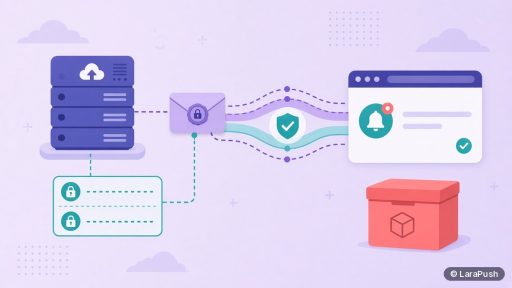

It usually takes one focused session plus DNS waiting time to set up self-hosted web push, not days of coding, if the panel has automated installation. The steps are: rent a VPS, point a subdomain at it, install the panel, connect Firebase if required, and add the script or plugin. Manual installs take longer because you configure the stack yourself.
I cannot honestly promise a fixed number of minutes, because DNS and account setup do not run on a stopwatch. What I can do is show which steps are short, which ones wait on other systems, and what usually slows people down. If you want the clicks rather than the timing, use my step-by-step VPS install guide.
Quick facts:
- LaraPush installation is free and automated from the customer portal, so the server-stack work is not yours to time.
- DNS is the common waiting point. An A record can resolve quickly, but a high TTL can make you wait longer.
- HTTPS is required, because the Push API only works in a secure context.
- Site integration is usually short on WordPress and a little longer if you upload files by hand.
How long does it take to set up self-hosted web push?
It takes one sitting for the work you do yourself to set up self-hosted web push, plus however long DNS takes to point your subdomain at the new server. With an automated installer, that is a setup job, not a development project.
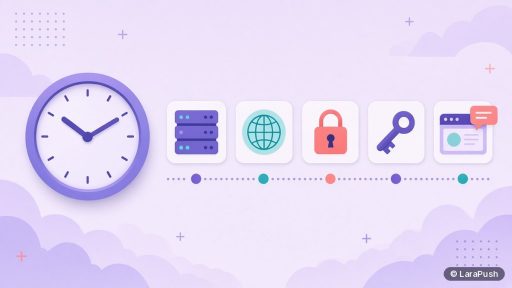
I think of the timeline in two layers. The first is active work: creating the VPS, adding the A record, starting the install, creating a Firebase project, and placing the script or plugin. The second is waiting: DNS propagation, the installer running, and certificate issuance. You can often do the active work in a single session. The waiting is why I will not print a “15-minute setup” claim that the official docs do not make.
Once the panel is up, you still need a few minutes to subscribe from your own browser and send a test. I would not call the job finished until that test arrives.
What are the steps, and which ones take the most time?
These steps to set up self-hosted web push are short. The ones that take the most time are usually DNS, and anything you have never done before, such as creating a VPS or a Firebase project for the first time.
| Step | What you do | How long it usually feels |
|---|---|---|
| 1. Buy the licence | Complete checkout and copy the key from email | A short purchase |
| 2. Create a VPS | Spin up Ubuntu 24.04 and note the public IP | A few minutes in the host’s panel |
| 3. Add an A record | Point a subdomain, such as push.example.com, at that IP | Quick to add; waiting depends on DNS |
| 4. Install the panel | Claim the automated install, or configure the stack by hand | Automated: you wait on the installer. Manual: much longer |
| 5. Connect Firebase, if required | Create a project and paste the web config | A short console task |
| 6. Add the site | Install the plugin, or place the JavaScript and service worker | Minutes on WordPress; longer by file upload |
| 7. Test | Subscribe yourself and send a test notification | A few minutes, plus any debugging |
LaraPush’s llms.txt and setup guide describe this path: Ubuntu 24.04 with 1 GB RAM and 1 vCPU, a domain or subdomain A record, free automated install, then add the site with Firebase config and the script or WordPress plugin. The order matters. If you start the installer before DNS resolves, you will spend time waiting or retrying.
How long does DNS and HTTPS usually add?
DNS usually adds the least predictable wait when you set up self-hosted web push, and HTTPS cannot finish until the domain points at the server. Once the A record has resolved, a standard Let’s Encrypt certificate is issued quickly.
How long DNS takes depends on the record’s TTL and on whether you just created the subdomain. It is often minutes. Sometimes it is longer. You can check with a DNS lookup or a ping before you start the installer, which is the simplest way to avoid sitting on a failed first attempt. The Let’s Encrypt getting started guide is the usual free certificate path if you are doing this part yourself.
With LaraPush’s automated installation, certificate setup is handled for you as part of that process. You still need the domain to resolve first. Your public website must already be on HTTPS as well, because visitors subscribe on that origin, not only on the panel’s subdomain.
How long does a manual install take compared with an automated one?
A manual install takes longer than an automated one when you set up self-hosted web push, because you are also building the stack: the web server, PHP or Node.js, the database, the SSL certificate, the queue worker and the process manager that keeps the worker alive after a reboot.
I would plan a manual install as a technical afternoon, not as a short form you fill in. The extra time is not typing the same commands faster. It is checking each service, fixing the first permission or path error, and making sure campaigns do not sit in a queue that never runs. An automated install is designed to remove that stretch.
If you are comparing open-source options that assume a manual stack, read open-source vs paid self-hosted push panels before you budget the time. The licence price is not the only cost. Your afternoon is part of it too.
What slows people down in practice?
People are slowed down by missing prerequisites, not by the panel’s campaign screen. The usual delays are practical.
- The VPS was created with the wrong OS or without a public IP.
- The A record still points at an old host, or you started the install too early.
- The website is not on HTTPS, so the browser will not allow a Push API subscription.
- The service worker file is in the wrong place or returns a 404. It must live on the site’s own domain, usually at the root. See how the service worker works for web push.
- Firebase config was skipped or pasted into the wrong field.
- A test is sent before the tester has subscribed, or the browser has notifications blocked.
If the test notification does not appear, use the web push notifications not showing checklist rather than reinstalling the whole panel. Reinstalling rarely fixes a blocked permission or a missing file.
How can you shorten the setup?
You shorten the time it takes to set up self-hosted web push by preparing the accounts and DNS first, then doing the install in one pass. A little preparation saves the waits that feel like the setup “took all day”.
- Create or confirm your domain and VPS account before you buy the licence, if you do not already have them.
- Add the A record as soon as you have the IP, then use the wait to create the Firebase project and gather the config values.
- Confirm that your website already serves HTTPS.
- On WordPress, have admin access ready so the plugin can be installed as soon as the panel is up.
- Subscribe from a private browser window and send the test immediately, so you still have time to fix issues in the same session.
If you have never created a VPS, add a little extra time for that first visit to the host’s panel. The second time is faster. And if you need help, LaraPush includes onboarding with the licence, which is often quicker than improvising.
Where does LaraPush fit?
LaraPush is built around a short, assisted way to set up self-hosted web push rather than a long manual install. You rent the VPS, point a subdomain at it, and claim the free installation from the customer portal. Then you add your site, connect Firebase, and place the WordPress plugin or script. Licences start from $499 one-time for Startup and $799 for Pro, exclusive of tax; see pricing.
The trade-off is the same as any self-hosted panel: the VPS remains yours to keep online after that first session. If you want the feature list and the documented steps, use the features page and the guide. For a market overview, see best push notification services and tools.
Frequently asked questions
Sometimes, if the VPS and DNS are already in place and you use an automated installer. I would not treat one hour as a guarantee, because DNS can take longer and first-time Firebase or VPS setup adds time. Plan one focused session and a buffer for the test.
The panel install is usually the longer wait if DNS is still propagating or if you are installing by hand. Adding it to the website is often just a plugin or two files. Debugging a missing service worker can take longer than the upload itself, so test as soon as the files are in place.
No. Setup time does not depend on how many subscribers you hope to have later. A small VPS is enough to get started; LaraPush’s docs say 1 GB RAM and 1 vCPU is enough. List size can affect later sending and server load, not the first-day install.
Not if the panel is installed for you and you can create a VPS and a DNS record. A developer is needed for a manual stack or custom API work. I go through that skill question in do you need a developer for self-hosted web push.
Setup is finished when you can subscribe from your own browser and receive a test notification that opens the right link. A running panel with no successful test is not done yet. After that, you can collect real subscribers and send your first campaign.