
The best push notification API for developers lets you send to everyone, a segment or one subscriber with a single authenticated REST call, and tells you clearly what failed. Look for server-side API keys, documented rate limits, retry-safe sends, subscriber and segment endpoints, delivery and click stats, and no surprise cap on monthly API calls as your traffic grows.
Most push notification services advertise “an API”, but the gap between a usable API and a frustrating one is large. When I review a push notification API, I’m not looking at the marketing page. I’m reading the reference docs for limits, error codes and authentication, because that’s where integration time goes. Here is the checklist I use, with real examples from vendor documentation.
What should a push notification API let developers do?
A push notification API should let developers send, target, schedule and measure notifications without touching the dashboard. In practice, that means these capabilities:
| Capability | What it looks like | Why developers need it |
|---|---|---|
| Send a notification | One POST with title, body, URL, icon and image | Trigger pushes from your own app events |
| Target an audience | All subscribers, a saved segment or filters | Send relevant messages without exporting lists |
| Target one subscriber | Send to a single subscription or user ID | Transactional alerts, such as order updates |
| Schedule | A send time in the request | Plan sends without a cron job |
| Manage subscribers | Create, import, export and delete tokens | Migrations, cleanup and data requests |
| Read results | Sent, delivered and clicked counts per campaign | Report inside your own dashboards |
| Buttons and data | Action buttons and custom data fields | Richer notifications and deep links |
If a vendor’s API only covers “send to all”, you’ll end up building segmentation yourself. For a broader feature list, see what features push notification software should have.
How should a push notification API handle authentication?
A push notification API should authenticate with a secret key that only your server uses. Never put the REST API key in browser JavaScript, because anyone can read it there and send notifications to your list. The browser side only needs a public key, such as the VAPID public key used when subscribing.
Good APIs also let you create more than one key, revoke a key without downtime, and limit keys to one project. That matters when several apps or developers send from the same account.
What rate limits should developers expect?
Developers should expect two kinds of limits: requests per second and requests per month. The first protects the vendor’s servers; the second is a pricing lever. Both differ widely between vendors, so read them before you build.
| Vendor (as of November 2026) | Published limit |
|---|---|
| OneSignal | Create message: 150 requests per second per app on free plans, 6,000 on paid plans |
| PushAlert | REST API calls per month: 1,000 (Free), 30,000 (Basic), 100,000 (Premium), 300,000 (Platinum) |
| LaraPush | No call limits or throttling on its REST API (self-hosted, so your server is the limit) |
The OneSignal figures come from its rate limits documentation, and the PushAlert figures from its pricing page. Note the difference in kind: a monthly call cap matters if you trigger one API call per event, such as per order or per new post.
OneSignal also documents a separate message limit: in any rolling 15-minute window, an app may send up to 10 times its number of subscribed subscriptions. A runaway loop can therefore disable an app even when every request succeeded.
How should you handle errors and retries?
You should retry only temporary errors, and only in a way that can’t send the same notification twice. The usual pattern looks like this:
- Treat 400, 401 and 403 responses as permanent. Fix the request or key instead of retrying.
- On a 429 response, wait at least as long as the Retry-After header says.
- On 5xx errors or timeouts, retry with exponential backoff and a hard cap on attempts.
- Send an idempotency key with each send, and reuse it on every retry, if the API supports one.
- Log every failed request with the response body, so you can see patterns.
OneSignal’s docs, for example, warn that retrying a message without an idempotency key can create duplicate notifications. Ask any vendor whether their send endpoint supports idempotency before you rely on automatic retries.
What limits come from the web push protocol itself?
Some limits come from the web push standard, not the vendor, so no API can remove them. Every push API eventually hands your message to a browser’s push service, such as Firebase Cloud Messaging (FCM) for Chrome or Mozilla’s service for Firefox.
- Payload size. RFC 8030 requires push services to accept payloads of at least 4,096 bytes, so keep titles, bodies and data small.
- Time to live (TTL). The TTL header says how long the push service should hold a message for an offline device.
- Urgency. RFC 8030 defines very-low, low, normal and high urgency, which can affect delivery on battery-saving devices.
- Expired subscriptions. The push service rejects sends to subscriptions that no longer exist, and your provider should clean these up.
- Authentication. Senders identify themselves with VAPID keys (RFC 8292). I explain these in what are VAPID keys.
Should you use a push service API or build your own sender?
You should use a push service API if you want segmentation, prompts and reports ready-made, and build your own sender only if you need full control and can maintain it. Building your own is very doable with an open-source library, as I show in how to send web push notifications from PHP or Laravel. However, you also take on subscriber storage, cleanup, analytics and scaling.
| Option | Good for | You maintain |
|---|---|---|
| SaaS push API | Fast start, small to mid lists | Your integration code only |
| Self-hosted panel with API | Large lists, fixed cost, own data | A VPS and the panel updates |
| Your own sender (library) | Custom apps with simple needs | Everything, including analytics |
Where does LaraPush fit for developers?
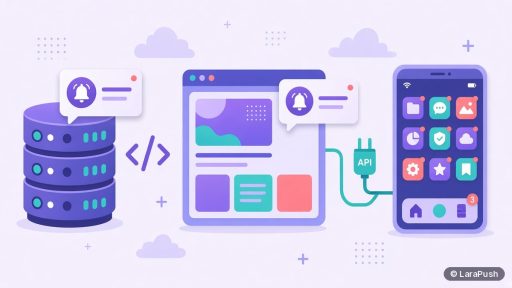
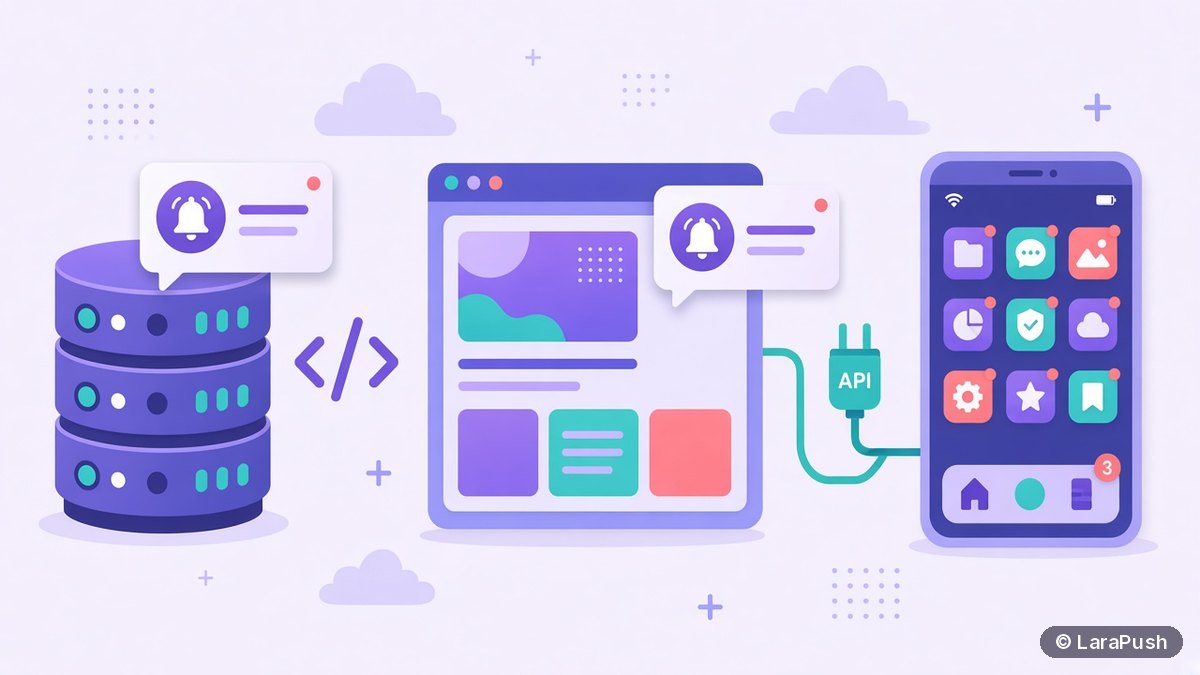
LaraPush is a self-hosted push panel built with Laravel, PHP and MySQL, delivering through Firebase Cloud Messaging. It has an open REST API for creating and sending notifications and managing subscriber tokens, with no call limits or throttling. Because it runs on your VPS, the subscriber tokens stay in your own database. It works on any site that can serve JavaScript, and setup steps are in the LaraPush guide.
The trade-offs: you maintain a VPS, there’s no free plan, and the licence covers one server. Plans start from $499 one-time; see LaraPush pricing. For a wider list of tools, see the best push notification services and tools.
Frequently asked questions
The best API is the one that matches your volume and workflow. Check that it can send to all, a segment or one subscriber, uses server-side keys, documents rate limits, supports safe retries and returns delivery and click stats. Then compare monthly call caps and pricing at your expected scale.
Yes. Most push services and self-hosted panels expose a REST API. You send an authenticated POST request with the title, message, link and audience, and the service delivers it through each browser’s push service. The subscriber’s browser then shows the notification through its service worker.
Most do. As of November 2026, OneSignal allows 150 message requests per second per app on free plans and 6,000 on paid plans. PushAlert caps REST calls per month by plan, from 1,000 to 300,000. LaraPush’s self-hosted REST API has no call limits or throttling.
Not with your secret REST API key. Anyone can read browser JavaScript, so a key there lets strangers message your subscribers. Call the push API from your server or backend, and only expose public values, such as the VAPID public key, in the browser.
RFC 8030 requires push services to accept payloads of at least 4,096 bytes. Encryption adds overhead, so keep the title, body and custom data well under that. Put large content behind the notification’s link instead of inside the payload.