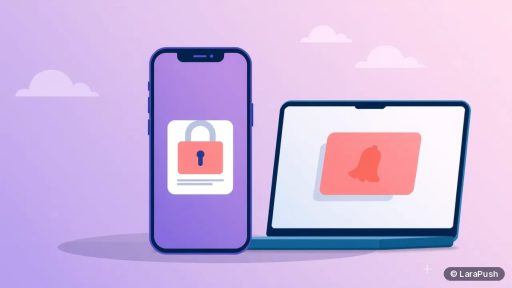

Yes, web push notifications can show on the lock screen of Android phones, iPhones and most computers, but the device’s own notification settings decide it, not the website. On Android they appear like app notifications. On iPhone they appear only for sites added to the Home Screen on iOS 16.4 or later.
This question comes up a lot from publishers and store owners who wonder whether a push is worth sending at night or to a phone in a pocket. The short version: web push behaves almost exactly like app push once it reaches the operating system. Below I break it down by platform, explain what a website can and can’t control, and cover privacy on a locked screen.
Do web push notifications show on the lock screen on each platform?
Web push notifications show on the lock screen wherever the operating system shows other notifications there. The browser hands the message to the OS, and the OS applies the user’s settings.
| Platform | Shows on lock screen? | Main condition |
|---|---|---|
| Android (Chrome, Edge, Firefox, Samsung Internet) | Yes, by default | Browser notifications allowed; lock screen notifications on |
| iPhone and iPad (iOS/iPadOS 16.4+) | Yes, by default | Site added to Home Screen and permission granted |
| Windows 10 and 11 | Optional | Lock screen notifications enabled in Settings |
| macOS | Optional | Notifications allowed when the screen is locked |
| Linux desktops | Varies | Depends on the desktop environment |
Android
On Android, a web push notification arrives through the browser, so it’s listed under that browser’s notifications. If the phone shows notifications on the lock screen, web push shows there too. Users can choose to show all content, hide sensitive content, or show nothing, as Google’s Android help explains.
iPhone and iPad
On iPhone, web push works only for a web app added to the Home Screen on iOS 16.4 or later, per WebKit’s announcement. Once allowed, the web app gets its own entry in Settings, then Notifications, just like a native app. So the Lock Screen, Notification Centre and Banners switches apply to it individually. My guide on getting web push working on iPhone covers the setup.
Windows and macOS
On a computer, the browser usually needs to be running for a push to arrive. I explain why in do web push notifications work when the browser is closed. After that, Windows shows notifications on the lock screen only if that setting is on, and macOS uses its own lock screen and preview settings in System Settings, then Notifications.
Can a website control whether its push shows on the lock screen?
No. The web Notifications API has no option to force a message onto the lock screen or to hide it there. A site can set the title, body, icon, image, actions, tag, and whether the notification stays until the user acts. However, where it appears is the user’s and the operating system’s choice.
That’s a sensible design. A visitor who allowed notifications in a browser hasn’t agreed to see your message on a locked phone on the bus, so the OS settings win. The full list of options a site can set is on MDN’s Notification page.
| What a website controls | What the user or OS controls |
|---|---|
| Title, message, icon and image | Lock screen visibility |
| Click URL and action buttons | Sound and vibration |
| Tag (replace an older notification) | Do Not Disturb and Focus modes |
| requireInteraction (stay until clicked, where supported) | Whether content is hidden when locked |
Is it safe to show push content on a locked screen?
It’s safe for normal marketing and news, but don’t put private data in a push. Anyone near a locked phone can read a notification preview if the user shows full content. So treat every push message as visible to the people around your subscriber.
In practice, that means no account balances, order details with addresses, health information, or one-time codes in the notification text. Instead, write “Your order has shipped” and keep the details behind a login on the page it opens. If your audience is in the EU, see my guide to web push notifications and GDPR for the consent side.
Does showing on the lock screen help click rates?
A lock screen notification gets seen more, but it isn’t always clicked more. The subscriber has to unlock the phone, and many swipe the notification away first. So the message must be worth unlocking for.
For example, a breaking news alert or a price drop on an item someone viewed earns the unlock. A generic “check out our blog” message doesn’t. In short, write for the lock screen: put the key fact in the title, keep the message short, and send at hours when people are awake in their time zone. My web push best practices for publishers go further on timing and copy.
What happens to lock screen notifications the user ignores?
They stay in the notification list until the user clears them, opens them, or the OS removes them. A later push with the same tag replaces the earlier one instead of stacking. So for live scores or a sale countdown, reuse one tag to avoid piling up a long list on someone’s lock screen.
Where LaraPush fits
LaraPush is a self-hosted web push panel that sends to Chrome, Firefox, Edge, Opera, Android browsers, and iPhone or iPad through iOS Safari web push (iOS 16.4+, Home Screen web app). Like any web push tool, it can’t override lock screen settings, but its scheduling and segmentation by country, device and OS help you send at sensible local times.
It’s a one-time purchase from $499 (check LaraPush pricing for the current price), and you run it on your own VPS. The iOS push page and features overview have the details. For other options, see my list of push notification services and tools.
Frequently asked questions
Check three settings: notifications allowed for the browser in Android settings, lock screen notifications turned on, and the browser’s notification channel not set to silent. Some phone brands also hide notifications from apps under battery saving, so allow the browser to run in the background.
That depends on the device and its settings, not the website. Many Android phones light the screen for new notifications, while others don’t. On iPhone, the Home Screen web app behaves like a native app and follows the same lock screen and wake settings.
Yes, as a user. On Android, choose to hide sensitive content on the lock screen. On iPhone, set Show Previews to When Unlocked in notification settings. Websites can’t do this for you, so senders should keep private details out of push text.
Only if the operating system allows it and the browser is running. Windows and macOS each have a setting for notifications on the lock screen. If the browser is fully closed, the push usually waits and arrives once the browser starts again, as long as it hasn’t expired.
To the user it looks almost the same. The difference is the source: web push comes through a browser or Home Screen web app instead of a native app, so it needs no app store download. The OS treats both with the same lock screen rules.